
tcpGPS
Disable menu buttons - GPS v2
6.1 Disable Menu Buttons
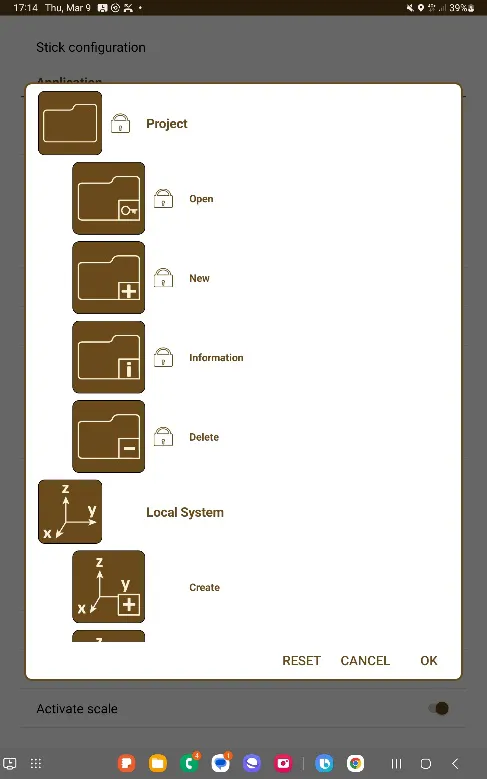
Under Settings section in the Application submenu, you are able to change the visibility of the buttons.
 |
|---|
Figure 38. Disable Menu Buttons |
By touching the menu items, the background of these will darken, signifying that the menu items will not appear when you open the menu, either menu type. Menu items that have a lock next to them are not able to be disabled, due to the fact that they're essential to the correct functioning of the application.
By pressing the "Reset" button, it is possible to reset the settings, removing all of the selected menu items, so all of them are visible quickly.