tcpMDT
Installation process - MDT25
2.2 INSTALLATION PROCESS
IMPORTANT: Temporarily disable your antivirus and firewall before you begin. Some installer actions, such as decompressing files or connecting license servers, could be misidentified as threats and cause errors during installation or registration.
Download the compressed file and unzip it completely.
Open the unzipped folder and run the SETUP.EXE file. Follow the instructions in the installation wizard.
Please read the license agreement carefully, if you do not agree to the terms, cancel the installation and return the product to your dealer.
- The installer will automatically detect the CAD versions installed on your computer. Verify that they are correct, if not, manually select the versions with which you want to use the program.
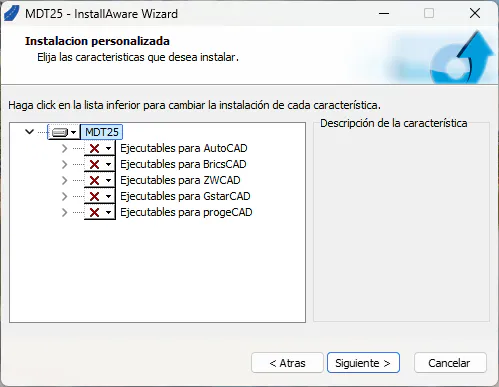
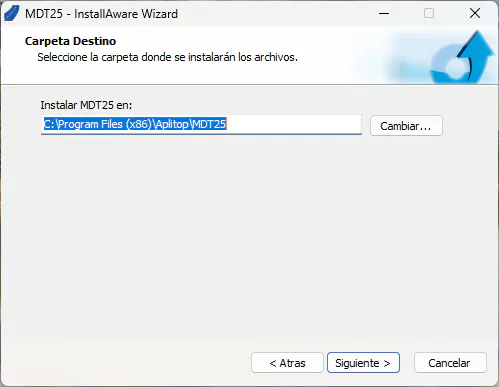
- After selecting the desired components, indicate the destination folder where the application will be installed.
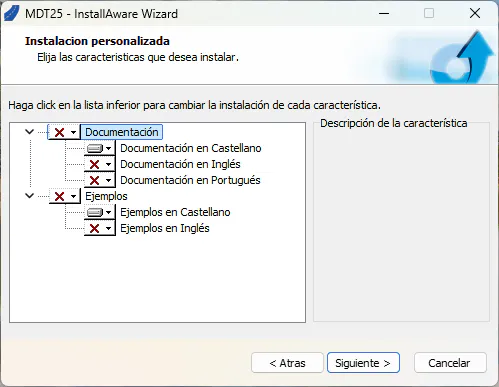
- You can then select the language (Spanish, English and Portuguese) and the documentation and examples to install.