
tcpMDT
Mcp - installation guide - MDT26
Connect Tcp-MDT 2026 with your AI agent (Claude Desktop, Claude Code or Codex).
Requirements: Windows 10/11 (64-bit) · Tcp-MDT 2026 · an AI agent installed with an active account (free accounts are untested and may not work).
Installation
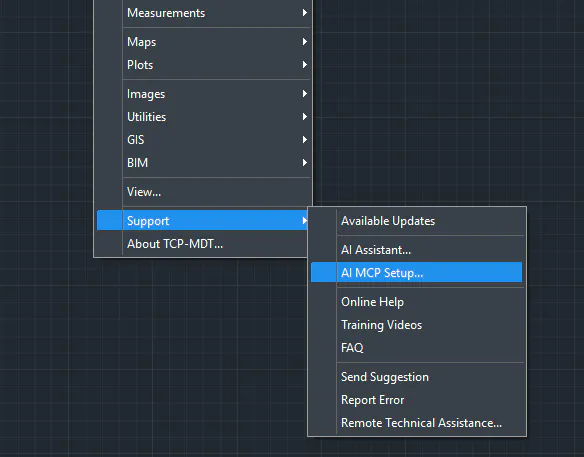
In MDT26 go to Support > AI MCP Setup…
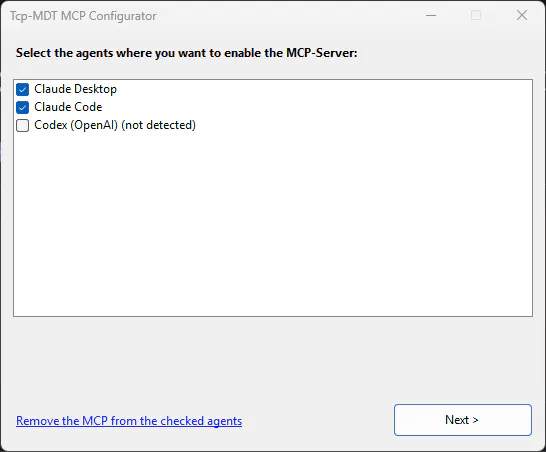
In the Configurator, select the agents where you want to enable the MCP Server
and click “Next >”.When you see “✓ Installation completed”, click Close.
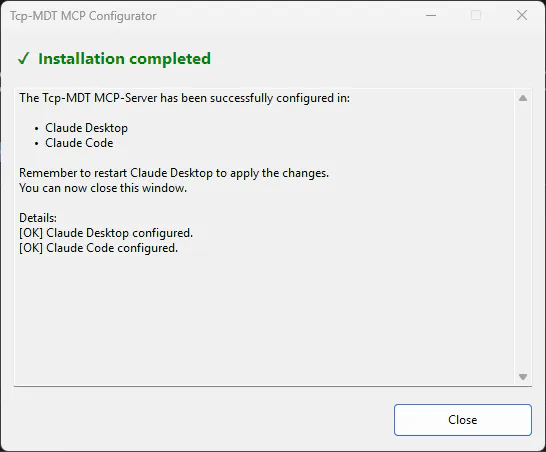
Restart Claude Desktop if you configured it (close it from the system tray icon as well).
Verify it works
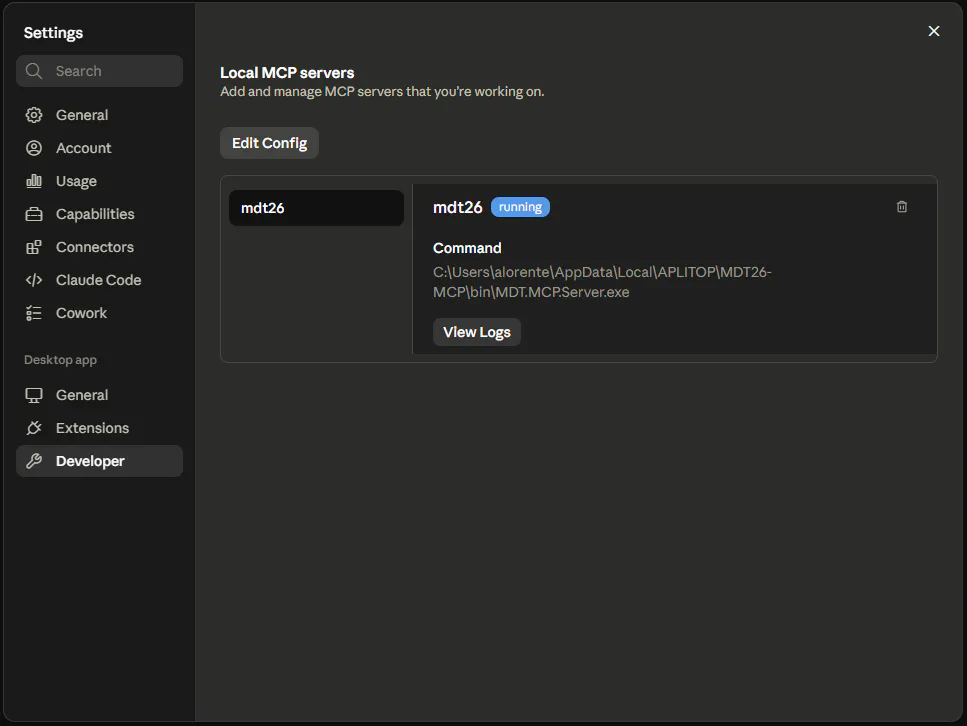
Claude Desktop: Settings → Developer → mdt26 should appear with status “running”.
Claude Code: run
claude mcp list→ it should showmdt26 … ✓ Connected.
Troubleshooting
The runtime didn’t install (UAC denied or no internet): install “.NET Desktop Runtime 8 (x64)” from https://dotnet.microsoft.com/download/dotnet/8.0 and open the Configurator from the Start menu.
An agent shows “(not detected)”: install it and open the Configurator again.
mdt26 doesn’t show up in Claude Desktop: close it completely (including the tray) and reopen it.