
tcpTunnel CAD
Edit tunnel templates - TNC3
3.1 Edit Tunnel Templates
This command allows one to edit the tunnel template file (*.TNL) of the project.
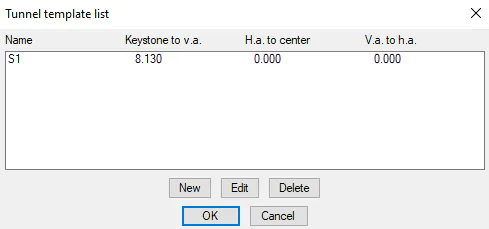
New: This option creates a new template, which must be drawn before it can be assigned graphically.
Edit: This allows one to edit an existing template.
Delete: Deletes selected tunnel template.
Any new templates that have been created or deleted will only be saved if one exits the dialog by using the OK button.
New Tunnel Template
The tunnel template is defined from a polyline. The polyline may be open or closed and, may be generated either clockwise or counter-clockwise. Once selected (you are asked to Select Tunnel Template) the following data is requested:
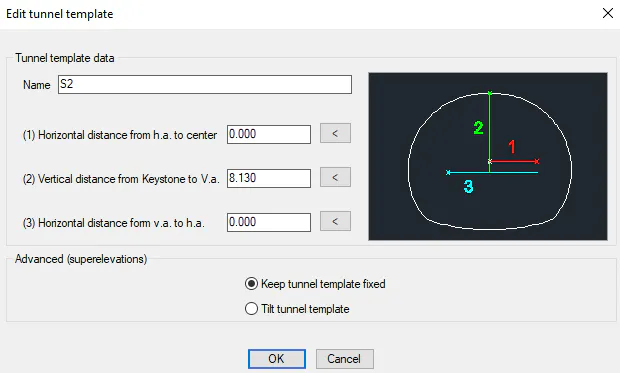
Name: Name of the cross-section. S1 is shown by default. If more than one cross-section is created, they will be named S2, S3, etc.
Horizontal distance form H.a. to Center: A positive value indicates that the ground plan alignment is to the right of the cross-section's center and a negative value indicates it is to the left. Differently to the grade line and superelevation application point, the ground plan application point can be defined to be outside the tunnel template.
Vertical distance from Keystone to V.a.: A positive value should be indicated if the keystone point is above the grade line and superelevation application point and negative otherwise. Under normal conditions, this value should always be positive. The grade line and superelevation application point should be within the tunnel template.
Horizontal distance from V.a. to H.a.: In this case the reference is the ground plan alignment's application point. One will therefore have to indicate a positive value if the vertical alignment and superelevation application point is to the right of the alignment and a negative value if it is to the left.
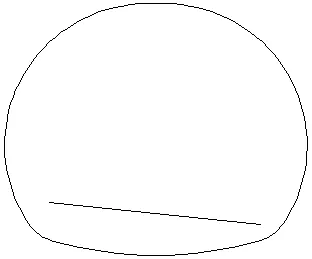
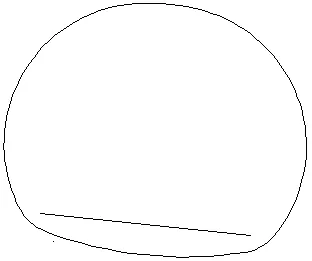
Advanced (Superelevations): If a superelevation file has been selected, the program allows tilt the tunnel template depend on the superelevation values. If Keep tunnel template fixed is selected and the tunnel template is open, the superelevations will be applied, creating the roadbed and closing the tunnel template.
Keep tunnel template fixed Tilt tunnel template
Edit Tunnel Template
This command allows one to change the parameters of an existing tunnel template. First, one must indicate an insertion point inside the drawing. Then, the Edit Tunnel Template dialog is displayed (see New Tunnel Template).