tcpTunnel Scan
Calculate cross sections - TSCAN1
8.3 Calculate Cross-sections
This option allows one to calculate and draw the cross-sections from the point clouds selected in the project.
The requested data is the following:
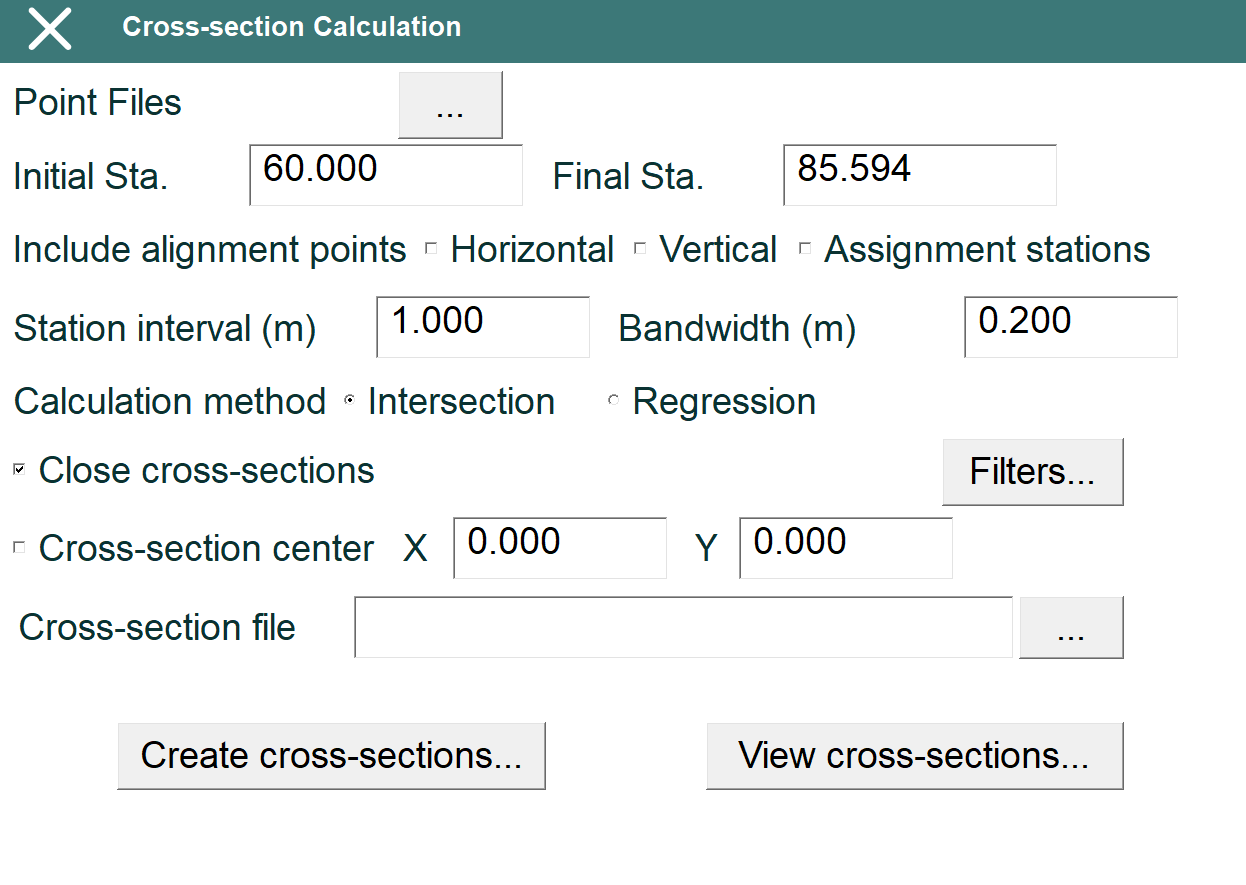
Point files: Files, in PAN format, which contains the point cloud to be analyzed.
Initial station: Station of the first cross-section which will be calculated.
Final station: Station of the last cross-section which will be calculated.
Include alignment points: Sets up if the stations of singular points of horizontal and vertical alignment must be included.
Assignment stations: Sets up if the stations of tunnel template assignment must be included.
Station interval: Distance, in meters, between cross-sections.
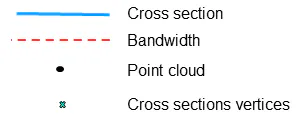
Bandwidth: Distance forward and backward of a station where the points are used to calculate the cross-section.
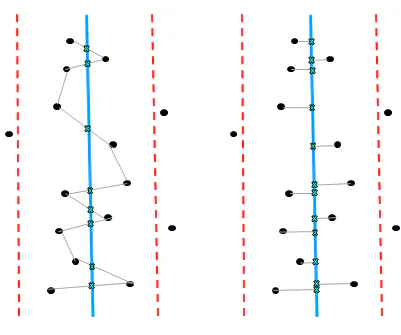
Calculation method: Algorithm used to calculate the cross-sections, which can be Intersection or Regression.
Intersection Regression
Close cross-sections: Sets up if the cross-section will be closed.
Cross-section center: By default, the centroid is used to calculate the cross-sections. If this option is selected, the center can be set up from horizontal and vertical alignment points entering, respectively, a X offset and a Y offset.
Cross-section file: Cross-section file path to create if it wants to be replaced. If no file is selected, when clicking Create cross-sections..., the program will ask for a new file.
Apart from these parameters, distance filters can be set up (clicking Filters... button):
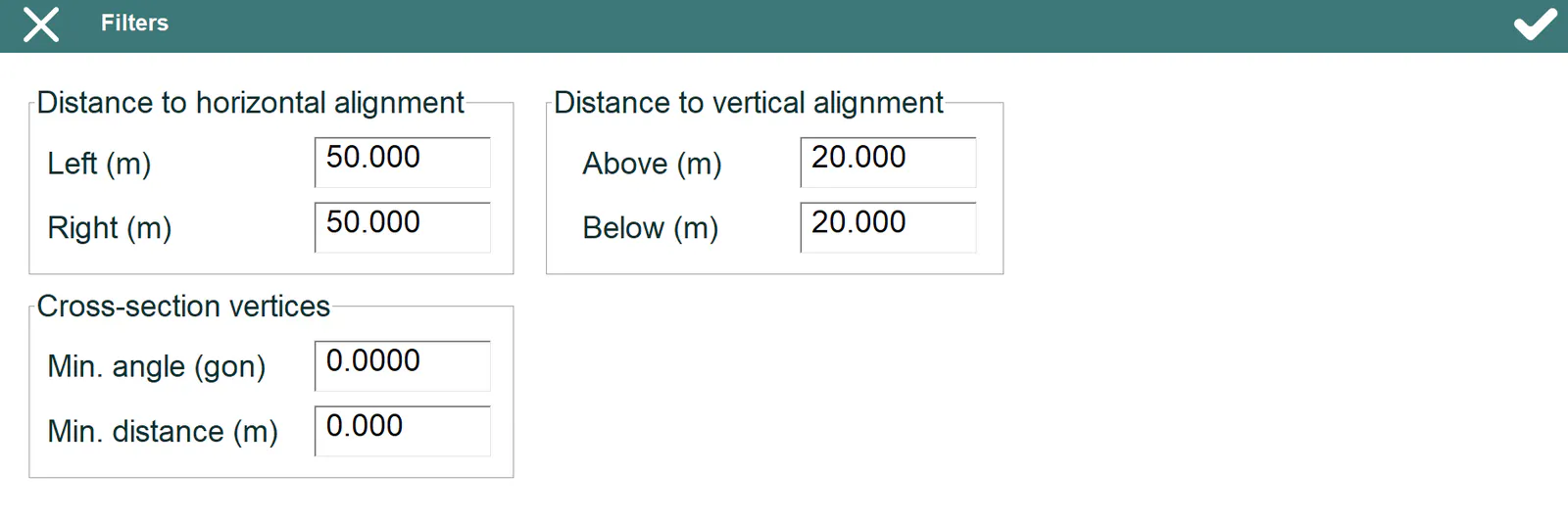
Distance to horizontal alignment: Distance, in meters, regarding with horizontal alignment below which the points are used to calculate the cross-sections.
Distance to vertical alignment: Height difference, in meters, regarding with vertical alignment height below which the points are used to calculate the cross-sections.
Cross-section vertices: It allows to set up the minimum angle and/or distance between the points of the cross-sections. Leave the values to 0.0 won't apply these filters.
The program will show the progress during the cross-section calculation and the number of cross-sections when finishing.
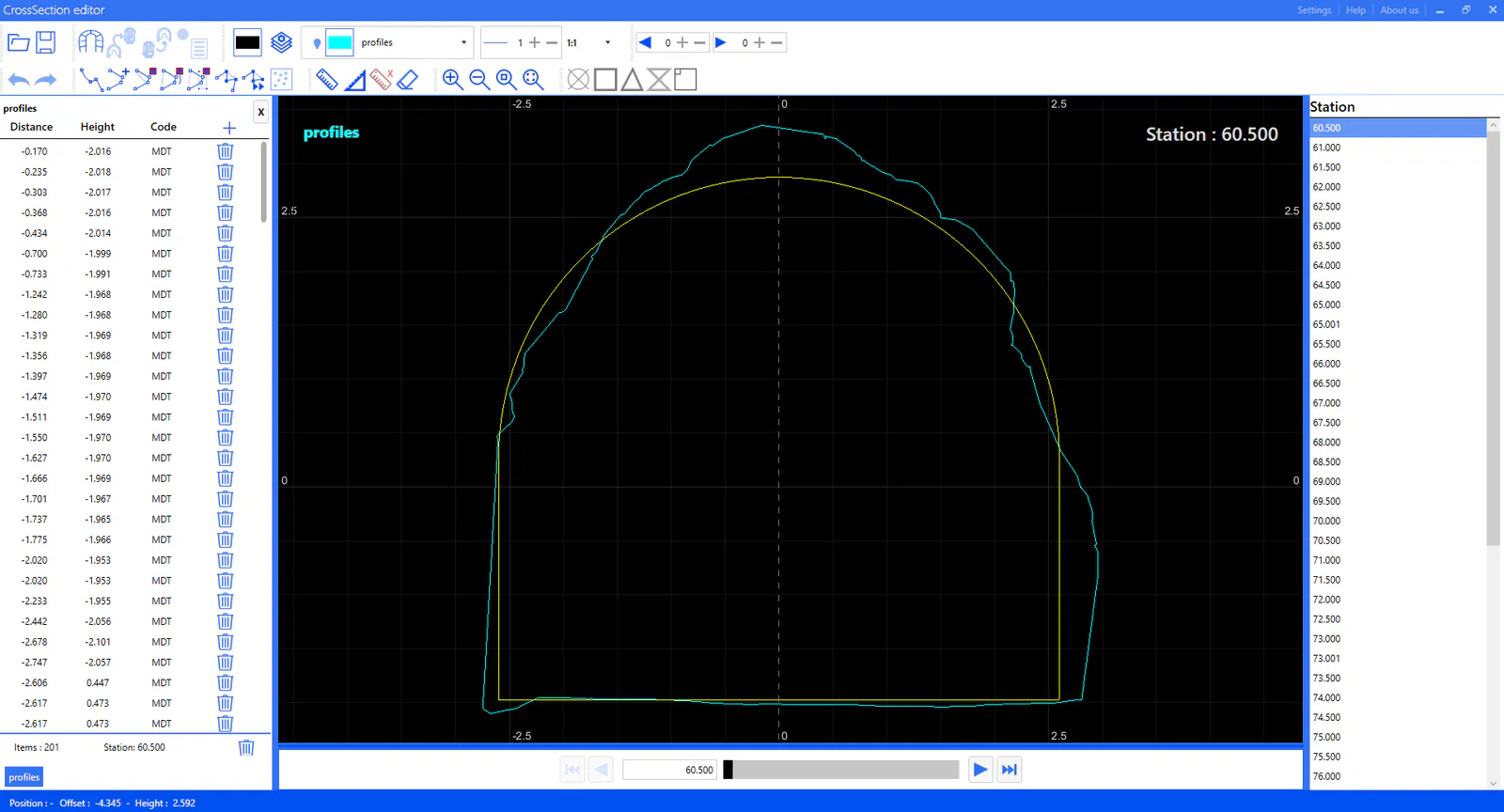
The button View cross-sections... allows to check and modify them in the editor (read Cross-section Editor reference manual for getting detailed information about all its functions). The cross-sections will be shown along with the tunnel templates if they exist in the project.