
tcpGPS
Import and export issues - GPS v2
15.2 Import and Export Issues
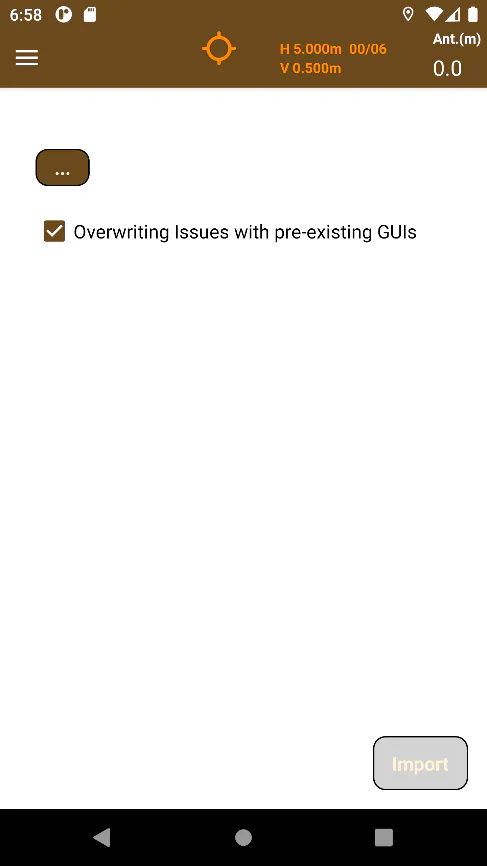
Accessing to Import > Issues it is possible to import all incidences within a .bcfzip file, adding all of the Issues to the project database.
If the checkbox titled "Overwriting Issues with pre-existing GUIs" is checked, if the application detects Issue GUIs already existing in the project in the existing .bcfzip when importing, it will replace all of the project Issues with the Issues from the .bcfzip. If it is not checked, it will not import these Issues.
 |  |
|---|---|
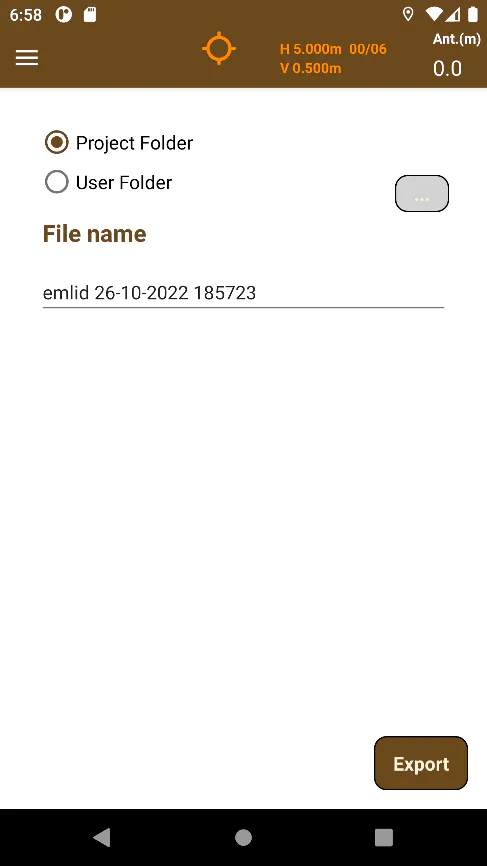
Figure 144. Issue Import | Figure 145. Issue Export |
Files exported to project folder will be saved in the device folder of Android/data/com.aplitop.tcpgps/files/projects/project-name/[export], which can only be accessed from a desktop or laptop device via USB cable.
If the option User Folder is chosen, it is possible to pick a folder pressing the  button, which will open Android's file explorer (SAF) so the application can obtain permissions to write on the chosen folder. Once that has been done, the Export button will be enabled, and the application will create the file in the chosen folder.
Once exported, the files can be shared. (See section Share exported files - GPS v2 )