
tcpMDT Photovoltaic
Add properties to poles - PV25
4.3 Add Properties to Poles
With this command we will have the possibility to add properties to the poles of our project. To do this, we would initially need a CSV file where the properties are located. It is necessary that the coordinates of the poles to which the properties are to be assigned exist.
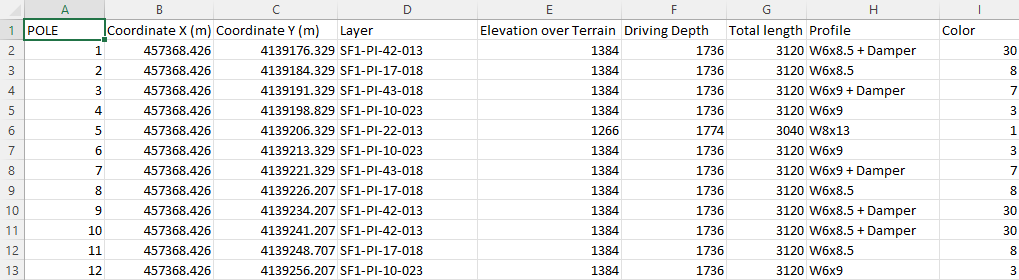
Once you have selected the CSV file, the following window will appear, which you will now describe:
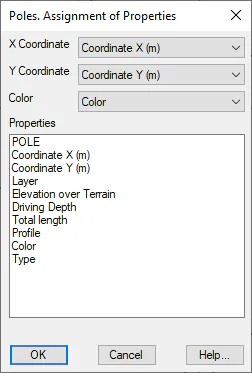
These properties are necessary to correctly identify each pole of our project, with the CSV file.
X Coordinate: Select the CSV column that represents the X Coordinate from the drop-down menu.
Y-Coordinate: Select the CSV column that represents the Y-Coordinate from the drop-down menu.
Color: Assigning the color of the pole
Additionally, in the "Properties" list, select those properties that we want to associate with each of the poles.
Once the dialog has been validated, it will appear on the "command line" A warning indicating the media to which properties have been assigned.
Properties has been linked to 2093 poles
Subsequently, with the reporting tools, specifically with the Reports > Pole Properties, you will be able to obtain a list with all the details of each pole, as well as the properties assigned to each of them. This report is described in more detail in the Reports section.