tcpMDT
Software key offline activation - MDT25
3.5 SOFTWARE KEY (OFFLINE ACTIVATION)
If online activation fails, you can perform the so-called offline process. Follow these steps:
DOWNLOAD THE ACTIVATION FILE
-
First, we must generate a .c2v file, for this we will enter http://localhost:1947
-
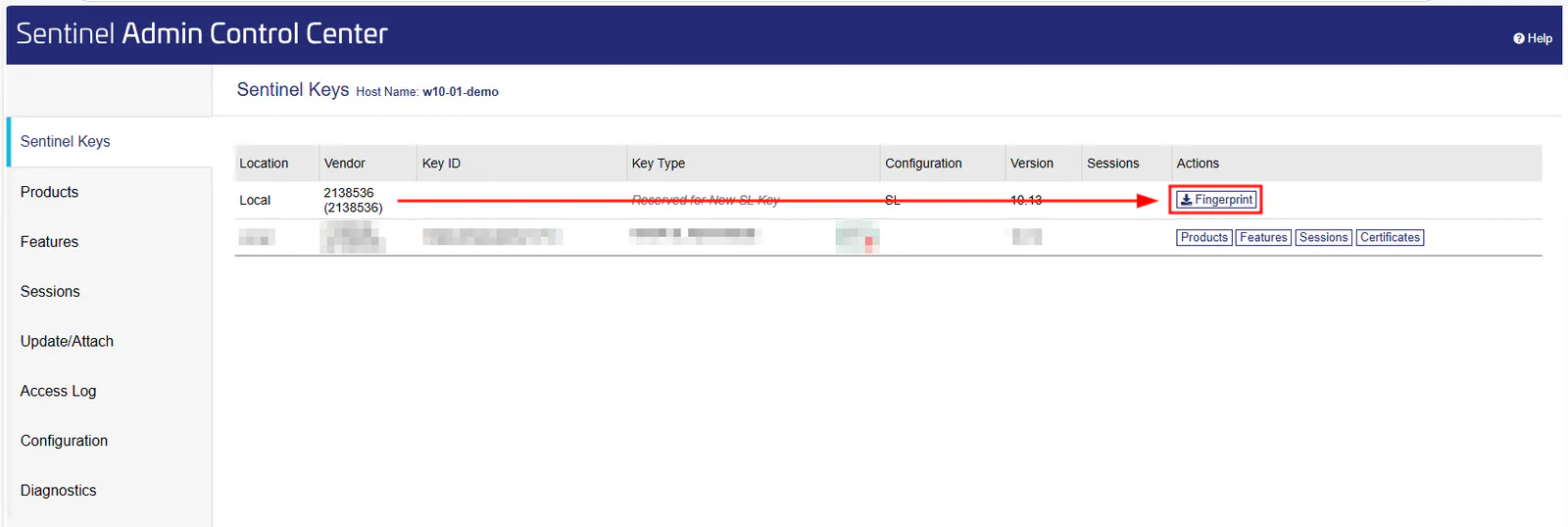
In the "Sentinel Keys" section we will have a line corresponding to the 2138536 provider (APLITOP), we will click on the rightmost button called "Fingerprint"
-
The generated .c2v file will be downloaded.
-
With the file downloaded, we head back to https://aplitop.prod.sentinelcloud.com/customer/login
-
In the "Entitlements" section, click on the "Activate Offline" button.
-
In the window that appears, click on the "Select File..." button and we upload the downloaded .c2v file in step 2.
-
Click on "Complete Activation".
-
Download the generated .v2c file .
REGISTRATION/UPLOAD OF THE ACTIVATION FILE
-
We reopen the Sentinel Control Center in http://localhost:1947
-
We go to the section in the column on the right that says "Update/Attach"
-
Click on the "Select file..." button and select the .v2c file generated in the previous section.
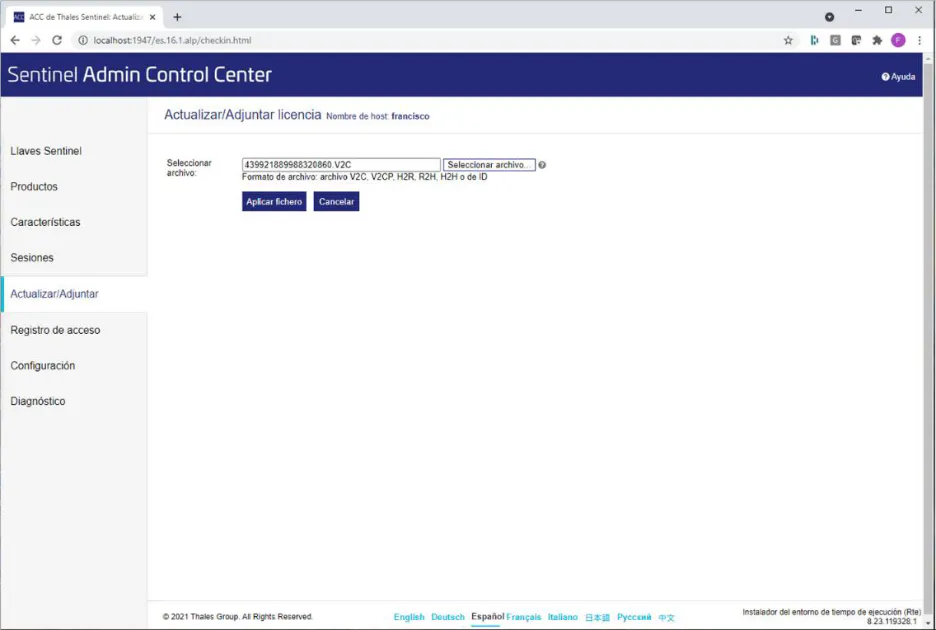
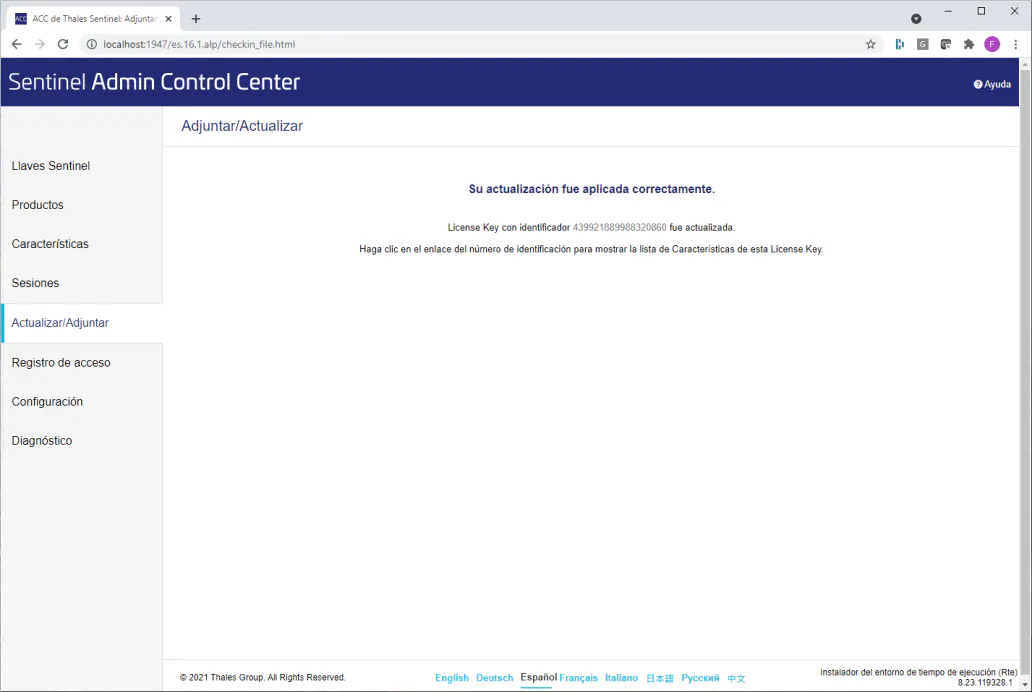
- Click on the "Apply File" button, it should display a message indicating that the update has been successful.