tcpMDT
Software key online activation - MDT26
3.4 SOFTWARE KEY (ONLINE ACTIVATION)
If you have received a product code (Entitlement ID) by email, you can activate a software license to use MDT.
Before you begin, open the license manager in your browser by accessing the address:
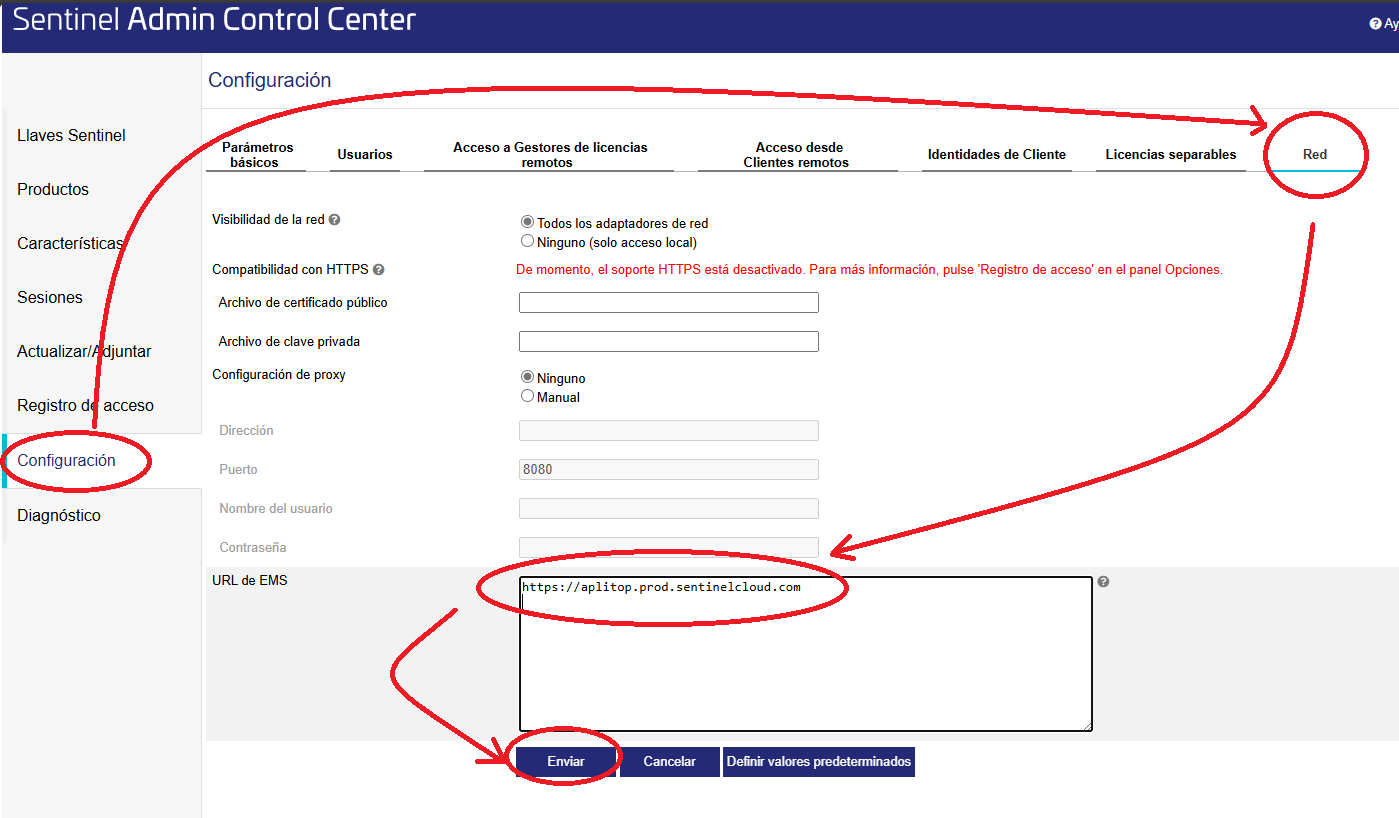
Go to "Settings" > "Network"
Verify that the EMS URL field is listed https://aplitop.prod.sentinelcloud.com
If it is not and/or other addresses appear, delete all of them and insert only this address.
Tap "Submit" to save your changes and continue with the activation process.
INSTALLING THE LICENSE
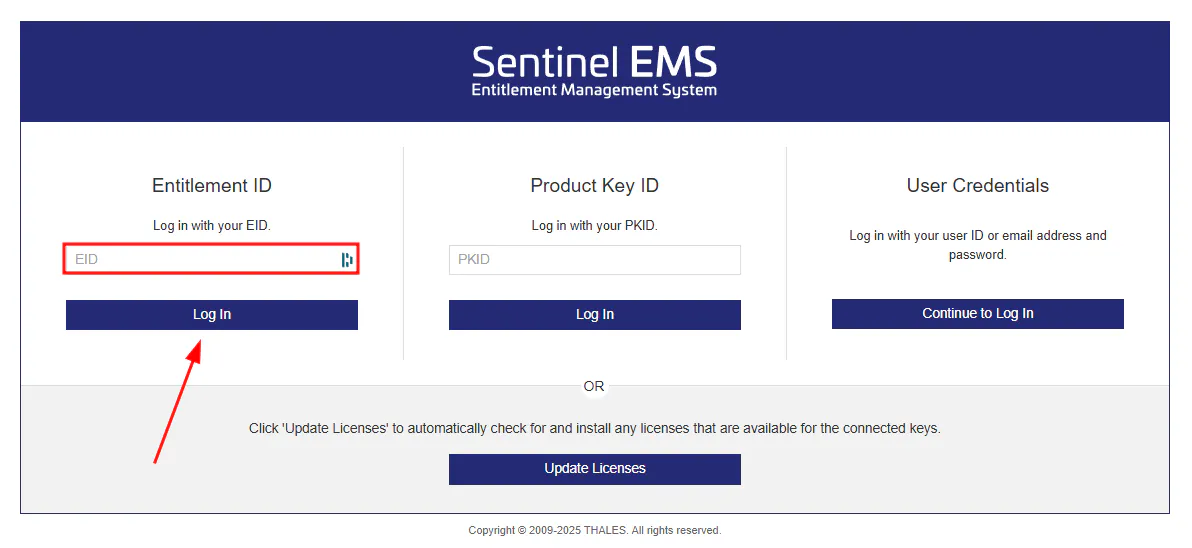
Copy the product code (EID) you received in the mail to your clipboard and access the following address from your browser:
https://aplitop.prod.sentinelcloud.com/customer/login
Select the EID option.
Paste the code into the appropriate field.
Press the "Log in" button to log in.
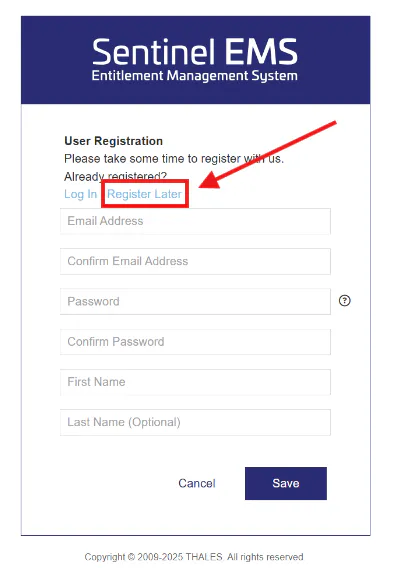
On the next screen, we will skip the registration step by clicking on “Register Later”.
Once logged in, the data associated with your license will be displayed. Verify that the Available Quantity column indicates that you have available activations. If so, press the Activate Online button to complete the activation.
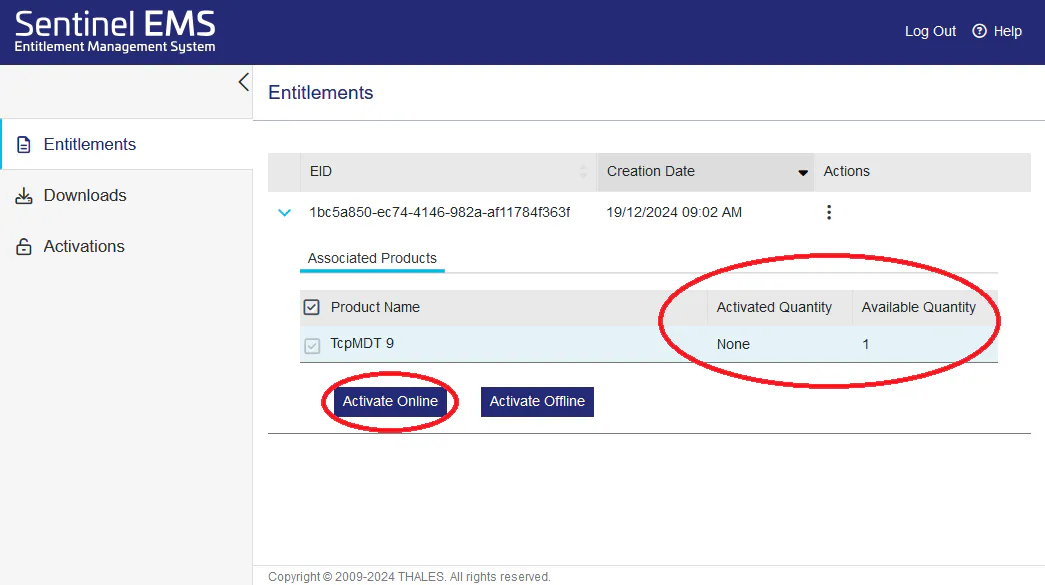
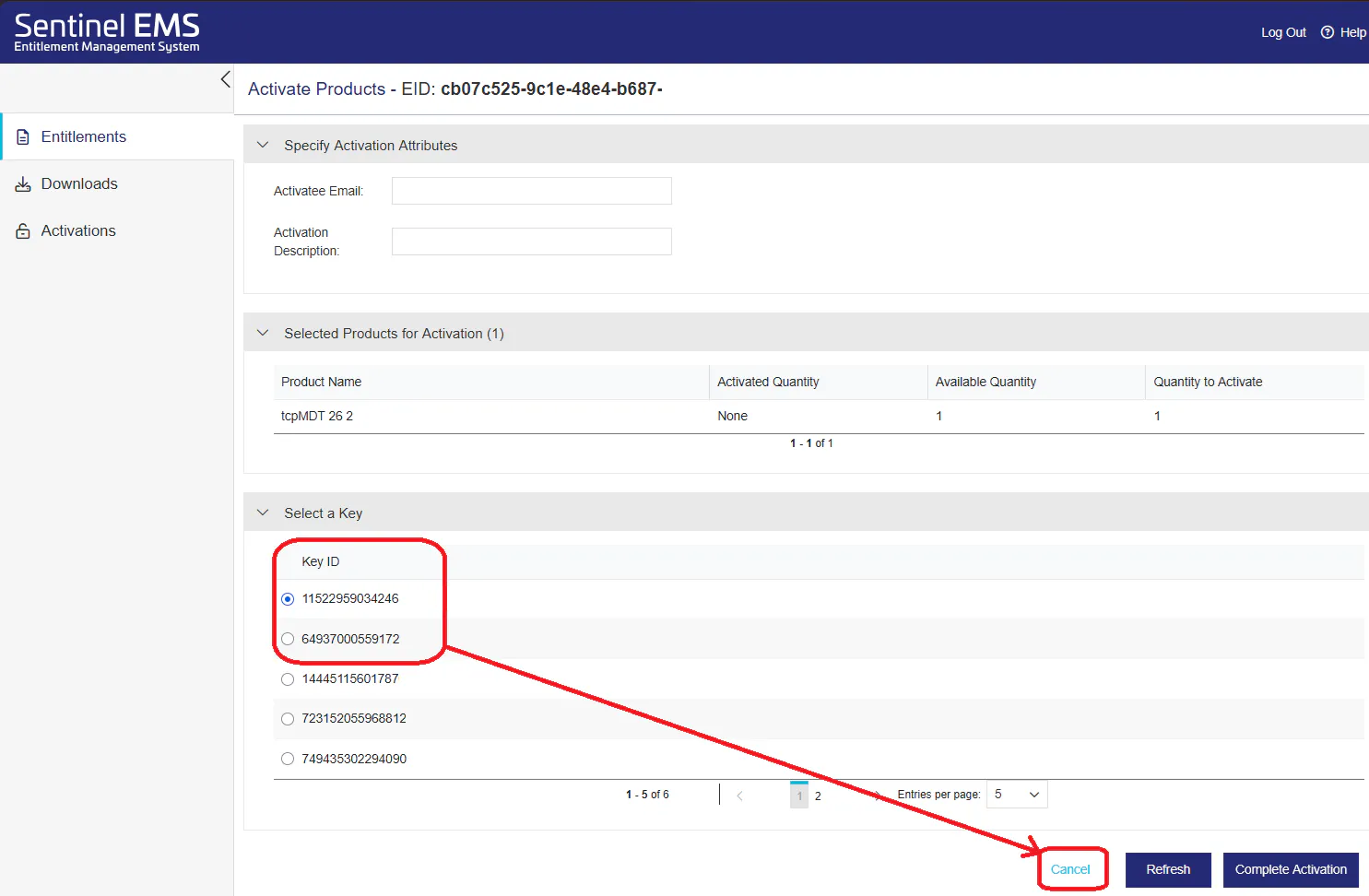
The license should then install automatically on your computer. If a window appears asking you to select an existing key, cancel the process. Continuing could cause the product associated with that key to stop working. In this case, offline activation is safer.