
tcpTunnel Scan
Scan - TSCAN1
6.2 Scan
This option allows one to control the scanner to do the surveys.
In addition to turning on and off the device, it allows to Start, Stop, Pause and Resume the scan.
The following data is requested:
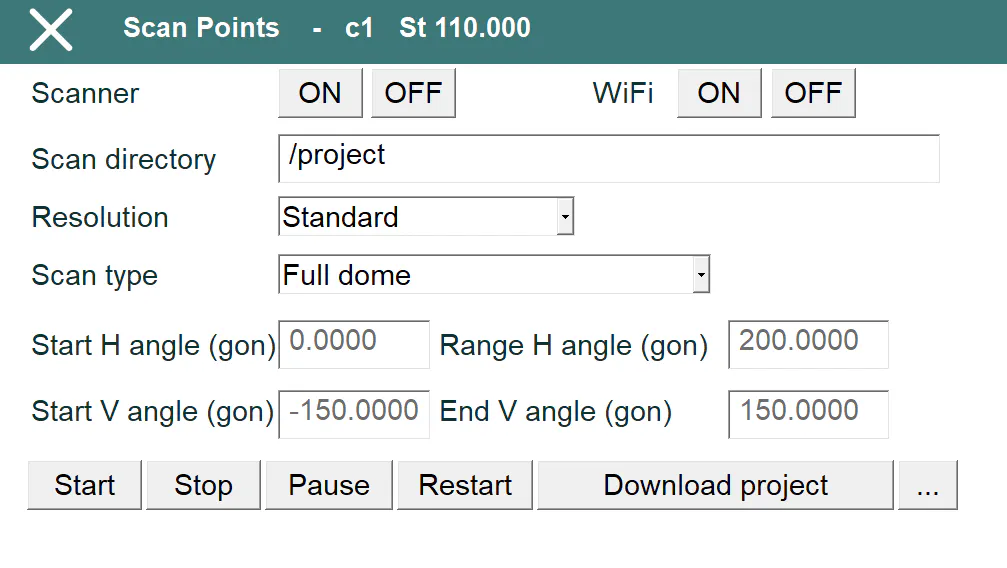
Scan directory: Scanner internal storage folder where the data is stored. It must start with / and, by default, the current project name is set.
Resolution: It can be Standard, Fine or Super Fine (depending on the total station model) and sets up the density of the point cloud. In standard mode fewer points will be stored and the scan will be faster.
Scan type: It can be Full dome or Window. The first option measures the entire area around the scanner, including the top and bottom (until 135.0 degrees), and the second one, only the horizontal and vertical intervals set by the parameters Start horizontal angle, Range horizontal angle, Start vertical angle and End vertical angle. These angles must be entered according to the units set in configuration, gons or degrees in decimal format.
When the scan is finished, the program shows the full path of the folder where the scan has been stored, for example, /TunnelProject/SCN0001.
The button ... allows one to access to Windows file explorer, so, in case having a WiFi SD card in the scanner, the data can be copied immediately. If the total station has WiFi built-in, the Download project button will be visible, and it will allow to copy the project directly from the SD card to the project folder in the field controller.