
tcpScancyr
Filter by distance from the template - TNSB3
6.1 Filter by distance from the template
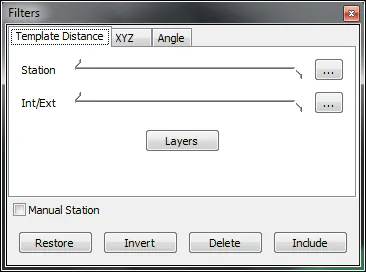
Figure 16 - Filter by distance from the template.
In order to apply for the filter by distance from the section you will need to have a section, a horizontal alignment, a vertical alignment and the analyzed points with respect to the alignment.
Station: Station interval where the filter will be applied. Coincides with the points cloud's limits you are viewing.
Int/Ext: Values for the inner and outer offset of the template.
Layers: Opens a dialog box to select the layer to be used on the filter. Only one layer may be selected per section.
With the maximum and minimum values a band will be created that will surround the template. If you go around the section in a clockwise direction, the negative values represent the area to the left or the outside of the section, whilst the positive values represent the area to the right or the inner points.
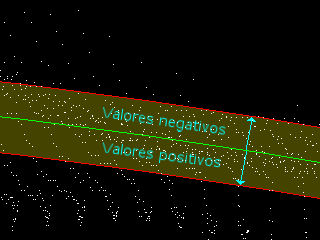
Figure 17 - Filter by distance from the section.
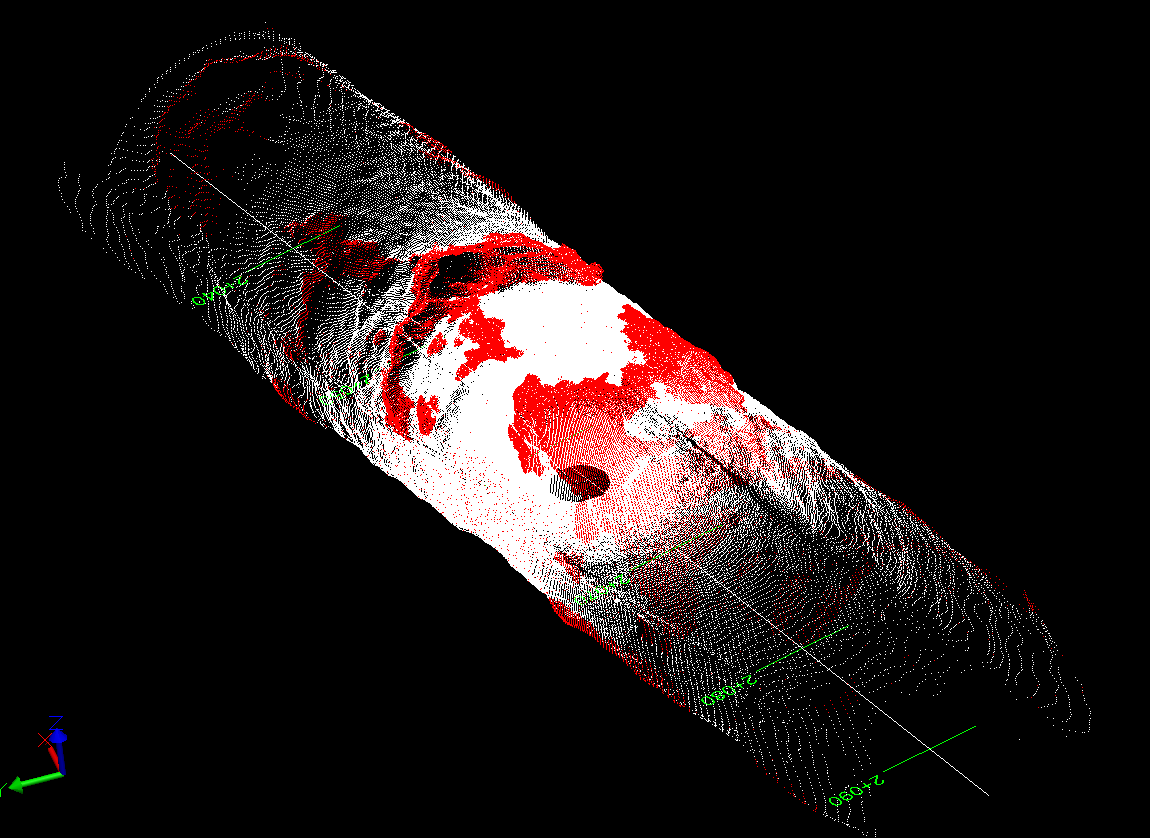
Figure 18 - Filter by selection, values [0, 5], have been eliminated