tcpTunnel Scan
Cross sections - TSCAN1
7.2 Cross Sections
This option allows one to set out individual points of the profiles within the range between the initial and final station.
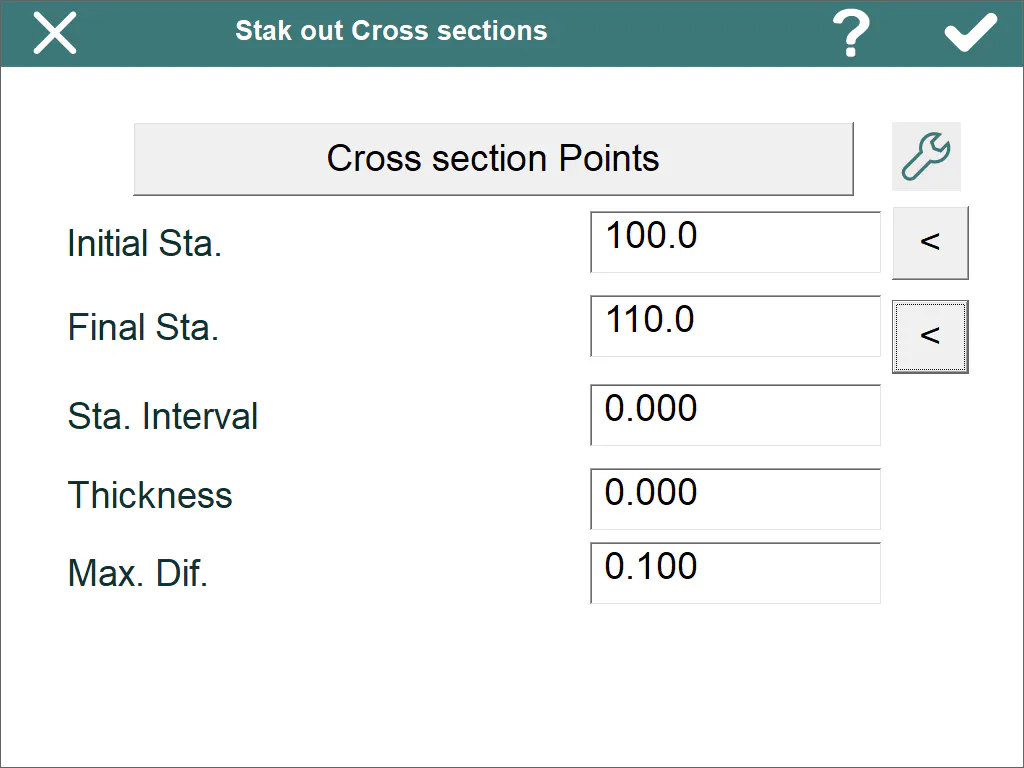
The following data is requested:
Cross section Points: Allows user to set the theoretical points of the tunnel template (see Features and Functionality > Theoretical Points of the Tunnel Template).
Initial Station
Final Station
Station Interval: Station increment value.
Thickness: Allows one to create tunnel templates that are parallel to the tunnel template. A positive thickness will create a tunnel template with a larger radius and a negative thickness will create one with a smaller radius.
Max. Dif. (maximum difference): Filter which serves to discard points having a displacement perpendicular to the cross-section that is greater than the value indicated.
After setting up the theoretical points and entering the required data the following screen is shown:
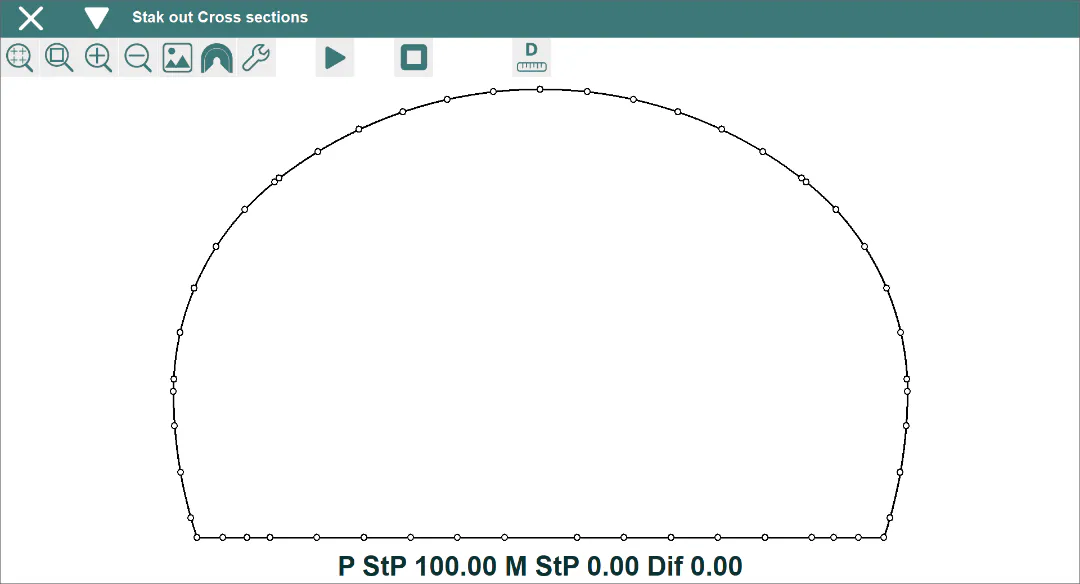
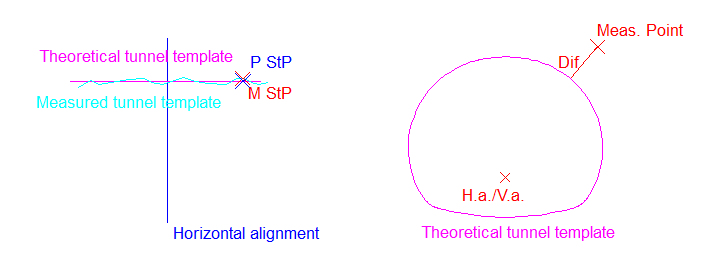
P StP: Theoretical station of the cross section (or profile).
M StP: Measured station of the cross section (or profile).
Dif: Difference between tunnel template and measured point.
 Change between top and front view.
 Show graphically the differences between tunnel template and measured cross section.
 Change total station settings.
 Start the stake out of the current point.
 Stop the stake out of the cross section.
 Start area and distance calculations.
The points are staked out one by one so, the start button must be clicked for each point. The point will be drawn in blue if the tolerances are rights and it's stored in the result file, otherwise, the point is drawn in red. If the stop button is clicked, the program will start again with the first point of the first cross section.
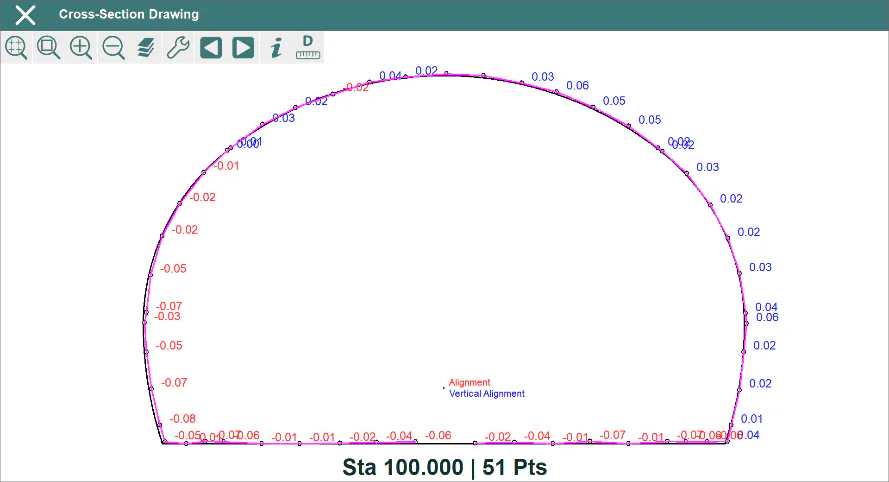
After survey finalized, a graphic with theoretical and measured cross sections is shown.
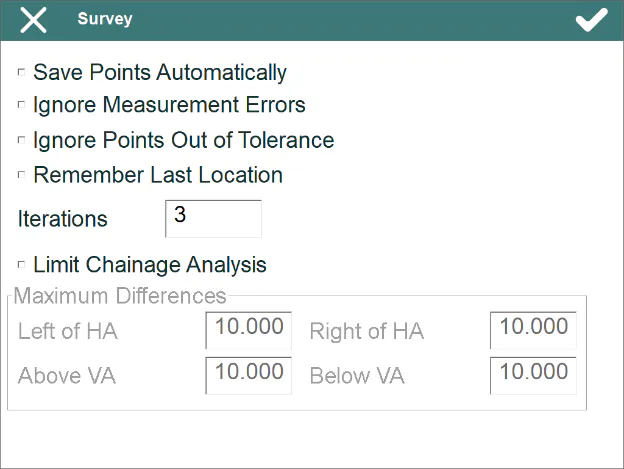
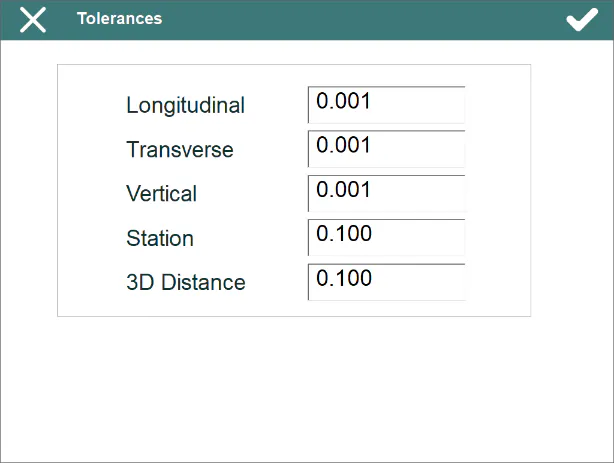
Before starting survey, several setting parameters can be modified through the option included in the menu of the title bar. Apart from the mentioned parameters, station tolerance and number of iterations, messages related measurement errors and points out of tolerance can be disabled.