
tcpTunnel
Rock bolts - TNL5
8.4 Rock Bolts
This feature makes easy the positioning of bolts for supporting rock or concrete, giving instructions to operator for the right placement on the desired station besides being perpendicular to template.
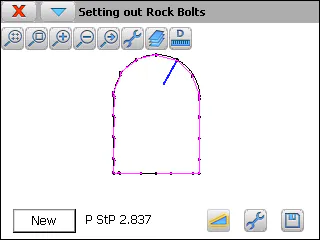
For each theoretical station, the program shows the tunnel template that has been assigned to that station and the measured profile if the point file contains points within the tolerance. The first drawing is the tunnel template assigned to the initial station of the horizontal alignment.
Once located the theoretical point for drilling, New button must be clicked on and, then, do a measurement with the button  . The program will show the theoretical station calculated and it will draw, in blue color, the theoretical position of the rock bolt.
The following measurements must be done pointing to a guide. The objective is to position this guide online with the calculated station and perpendicular to tunnel template. For doing this, the program shows the movements to do forward (Fwd) and backward (Bwd) and up (Up) and down (Dwn).
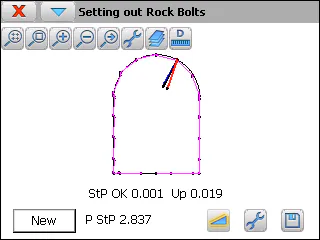
For each measurement, the program draws, in black color, the theoretical position, and, in red color, the measured one.
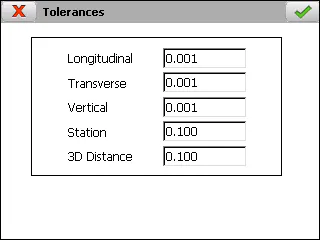
The Vertical and Station tolerances, within the setting screen, set up, respectively, when the height and station are valid.
If  button is clicked on, the last measured point will be stored in the result file and the drawing will be initialized with the last calculated station.