
tcp PointCloud Editor
Client - PCE
4.2 Client - PCE
TCP PointCloud Editor is installed on each client computer, and you then check that it can access the license on the server. All network settings are made in the Sentinel Admin Control Center (http://localhost:1947) of each client computer.
1. Verify the Sentinel LDK driver
TCP PointCloud Editor must have been installed on the computer beforehand.
In a browser, go to http://localhost:1947. The Sentinel Admin Control Center should appear.
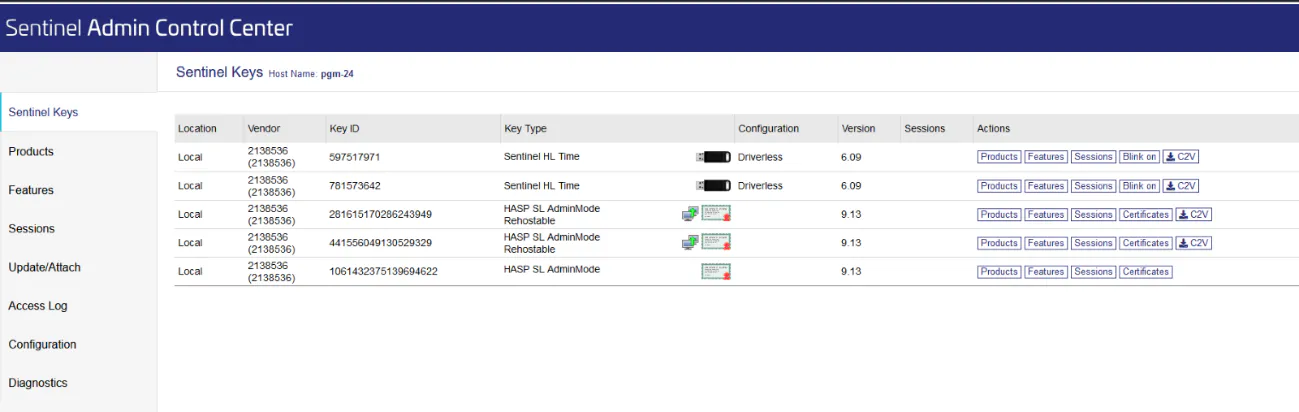
Check that at least one row shows the number 2138536 in the Vendor column.
Check that the bottom right corner shows Run-time Installer version 10.13 or higher.
If both checks are met, the driver is installed correctly. Otherwise:
Go to the folder
C:\Program Files\Aplitop\TCP PointCloud Editor\Drivers.Run HASPUserSetup.exe and complete the installation process.
Open http://localhost:1947 again and check that both of the above checks are now met.
2. Local network
Normally you do not need to specify the server: the client finds it automatically on the local network.
The computer network must be set to PRIVATE, not PUBLIC (Settings > Network & Internet > Properties). If it is set to public, change it to private and restart the computer.
3. Specify the license server (VPN or segmented networks)
If the server is on another subnet, is accessed through a VPN, or the automatic search does not find it, you must specify the server manually on each client:
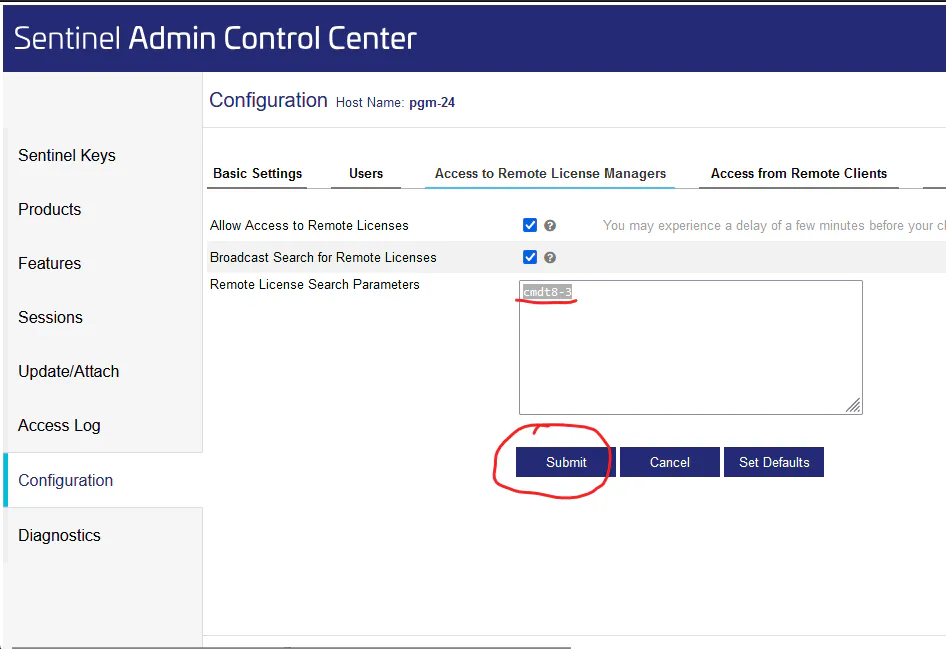
Open http://localhost:1947 and go to Configuration > Access to Remote License Managers. You can also go directly to http://localhost:1947/_int_/config_to.html.
In Remote License Search Parameters, enter the IP address or the name of the license server. You can use a DNS name as long as it resolves correctly to the server IP address.
Click Submit to save the changes.
4. Verification
In Sentinel Keys, the server licenses should appear, with the server name or IP address in blue in the Location column. It may take a few seconds to refresh.
