
tcp PointCloud Editor
Server - PCE
4.1 Server - PCE
In a network installation, the TCP PointCloud Editor license is installed on a single computer, the license server, and the client computers on the network obtain the license from it.
The license server can be any computer on the network that stays switched on while the program is in use; TCP PointCloud Editor does not need to be installed on it.
1. Installing the Sentinel LDK service on the server
Download the file RuntimesLDK.zip and unzip it on the computer that will act as the license server.
Open a command prompt window with administrator permissions, go to the folder where you unzipped the file and run:
haspdinst_2138536.exe -i(with the -i parameter).To check the installation, open http://localhost:1947 in a browser. The Sentinel Admin Control Center should appear, and Sentinel Keys should show a row for vendor 2138536 (APLITOP).
2. Installing the license
Hardware key (USB)
Connect the USB key to the license server. No activation is needed: the license is available to the client computers as soon as the service detects the key.
Software key
When you receive the email from APLITOP with the TCP PointCloud Editor product code (EID), follow these steps on the server computer:
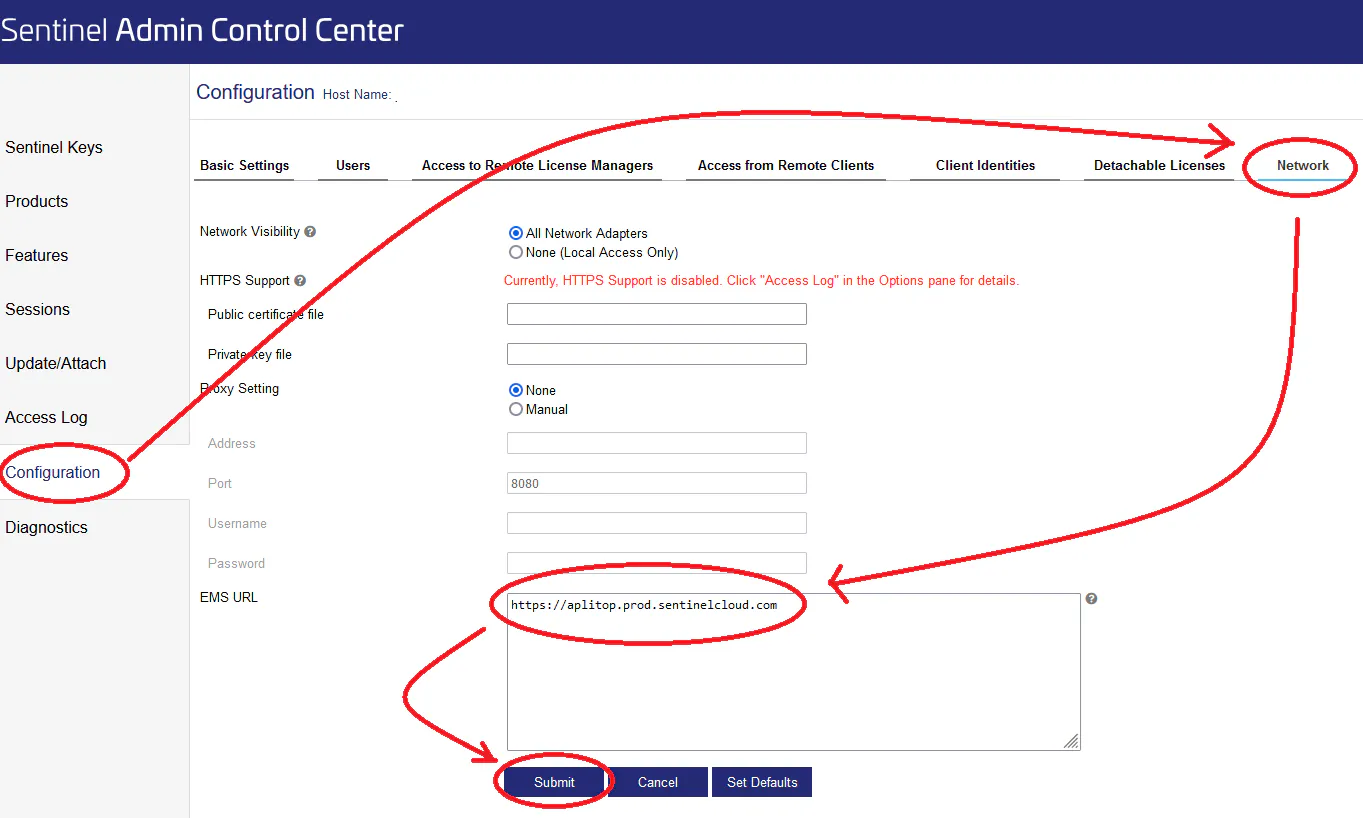
In http://localhost:1947, go to Configuration > Network tab, enter
https://aplitop.prod.sentinelcloud.comin EMS URL and click Submit.
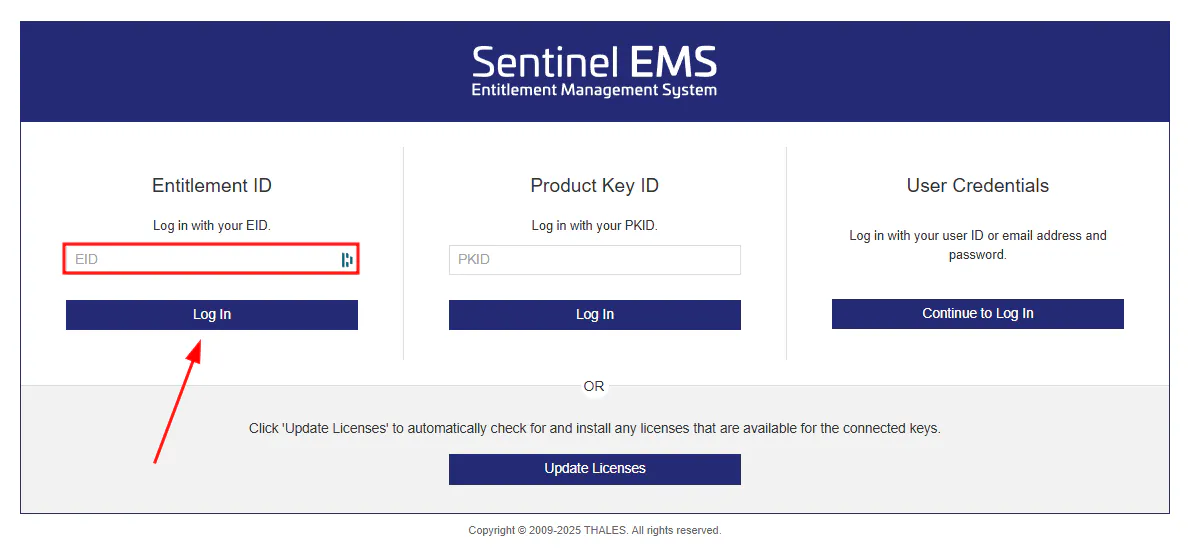
Open https://aplitop.prod.sentinelcloud.com/customer/login, enter the EID in the Entitlement ID field and click Log In.
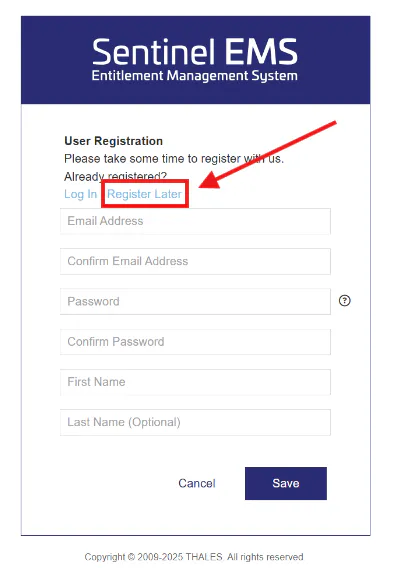
On the next screen, skip the registration step by clicking "Register Later".
The product details are displayed. Check that the Available Quantity column shows available activations and, if so, click Activate Online.
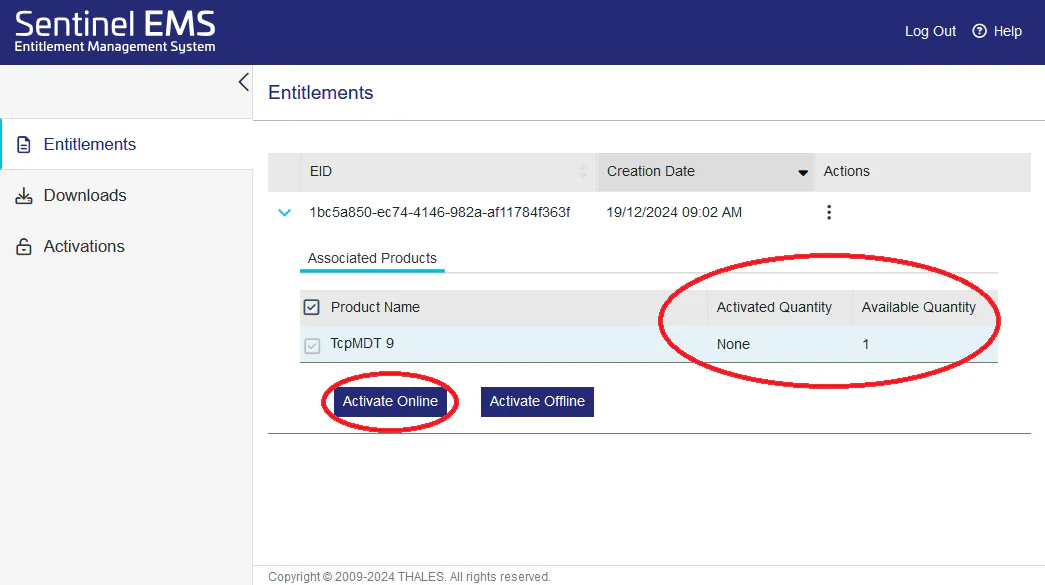
The software license is now installed on the server.
3. Verification
In http://localhost:1947 > Sentinel Keys, the installed license (USB key or software license) for vendor 2138536 should appear.
Next, configure the client computers as described in 04 02 CLIENT - PCE.
Updating the network license
If the license changes (number of seats, expiry or maintenance date, new version…), the update is performed on the license server, using any of the procedures in the related articles.