tcp PointCloud Editor
Export to BIM - PCE
4.11 Export to BIM
-
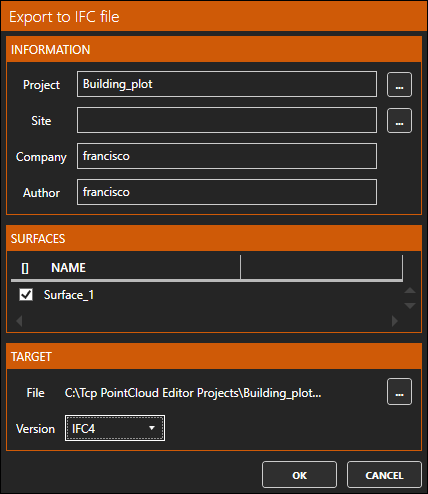
On the Home ribbon, within the BIM category, run the Export IFC icon. In the dialog, select to export Surface_1, choose as IFC4 Version, and assign a file name Building_plot.ifc.
-
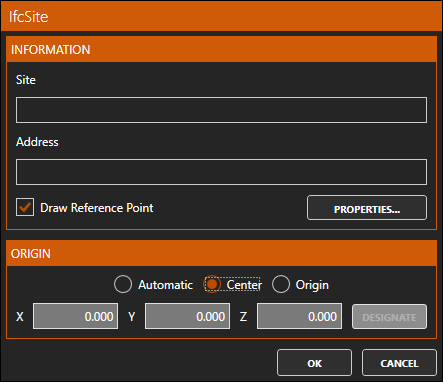
Tap the ... to the right of Site, and in the dialog select the Draw Reference Point checkbox and choose the Center as the ORIGIN. Press OK twice to run the export.
-
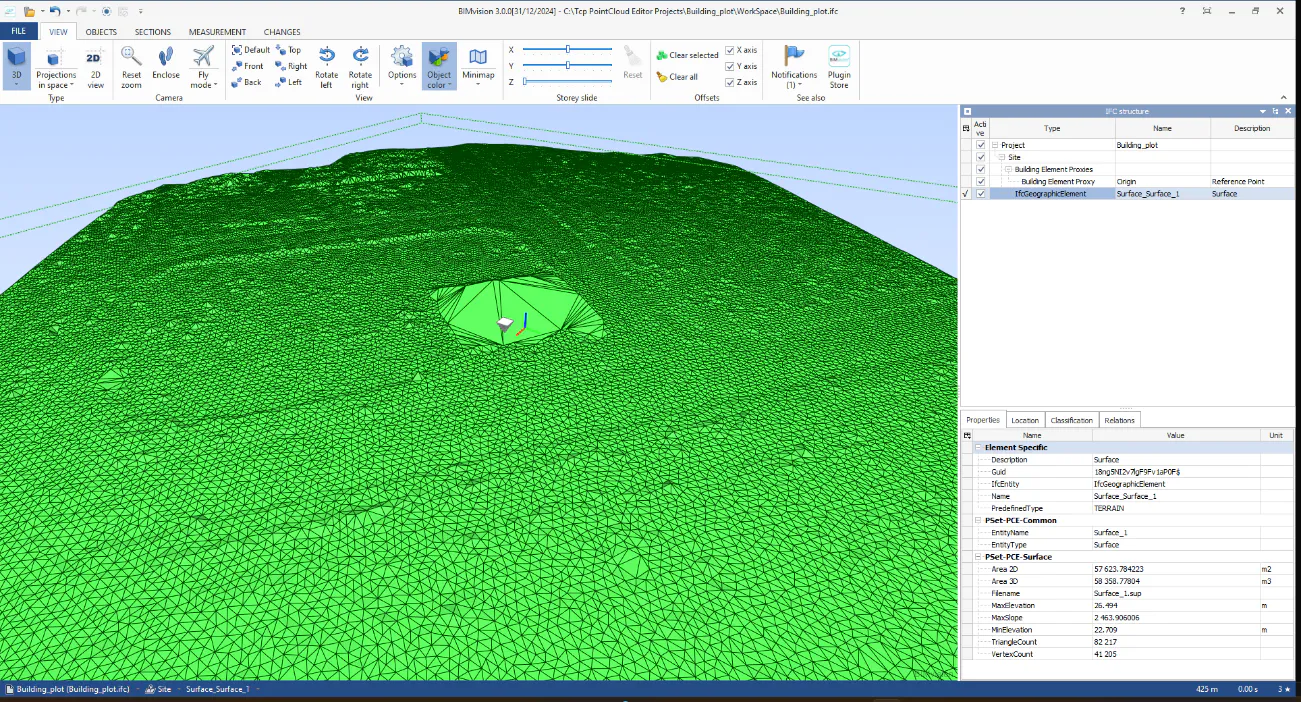
Open the generated IFC file with a viewer, e.g. BIM Vision.