
tcp PointCloud Editor
Ribbon menu - PCE
2.2 Ribbon Menu
Description
The ribbon menu is located at the top of the main window and provides access to the main application commands. The ribbon menu is divided into tabs, each containing a set of groups of commands.
Tabs and groups are organized by functionality, making it easier to find the commands you need.
Details
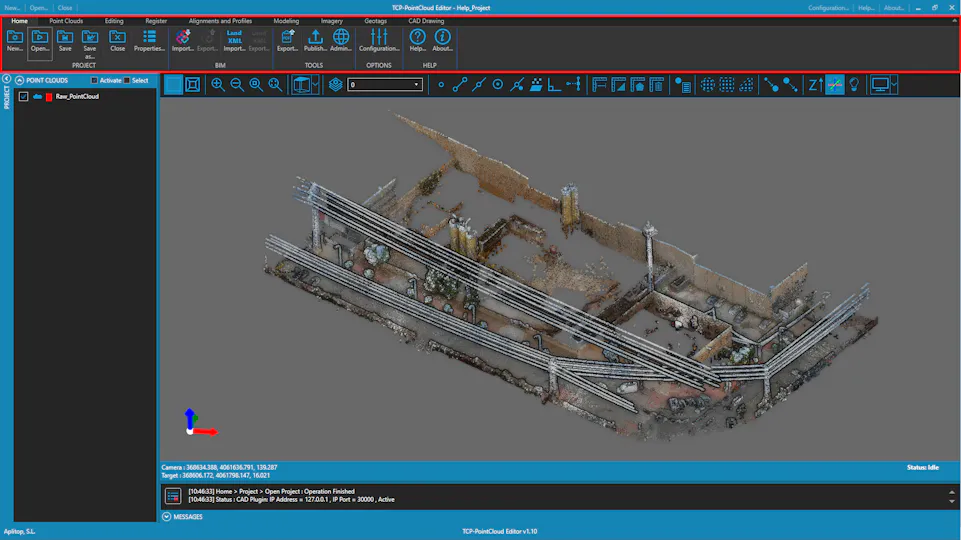
Home Tab
-
PROJECT Group
-
BIM Group
-
TOOLS Group
-
OPTIONS Group
-
HELP Group
Point Clouds Tab
-
POINT CLOUDS Group
-
REPRESENTATION Group
Editing Tab
-
SELECT Group
-
SELECT(BETA) Group
-
EDIT Group
-
CATEGORIES Group
Register Tab
-
CONTROL POINTS Group
-
TRANSFORMATION Group
-
LOCAL SYSTEMS Group
Alignments and Profiles Tab
-
ALIGNMENTS Group
-
PROFILES Group
-
TOOLS Group
-
VOLUMES Group
Modeling Tab
-
MODELS Group
-
GRIDS Group
-
SURFACES Group
-
VOLUMES Group
-
USER POINTS Group
Imagery Tab
-
IMAGES Group
-
VIDEO Group
-
TOOLS Group
Geotags Tab
- GEOTAGS Group
CAD Drawing Tab
-
DRAWING Group
-
LAYERS Group
-
SELECTION Group
-
DRAW Group
-
EDIT 3D Group
-
MODIFY Group
-
TOOLS Group
-
EXTERNAL CAD Group