
tcp PointCloud Editor
Title bar - PCE
2.1 Title Bar
Description
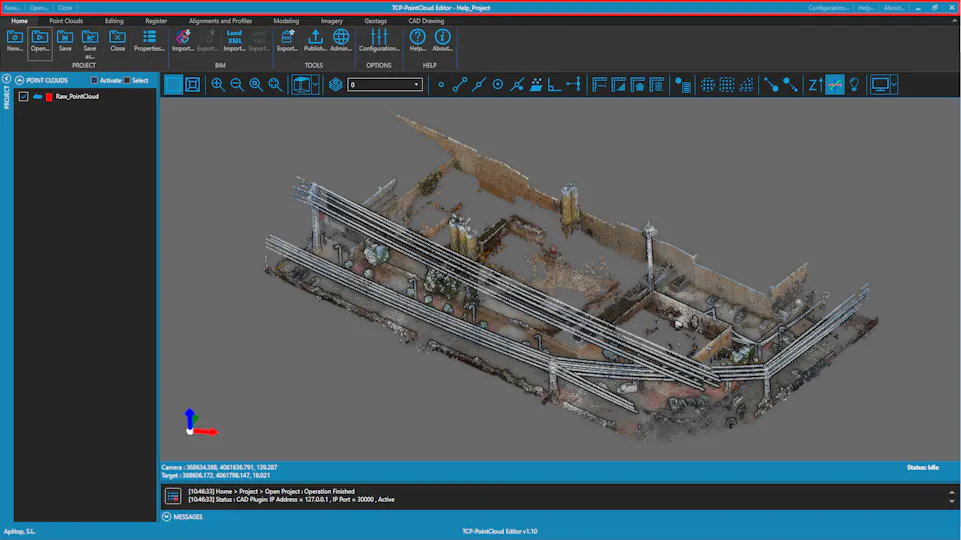
The title bar is located at the top of the main window and displays the name of the application and the name of the currently opened file.
The title bar also contains project and help related buttons, and the standard window buttons for minimizing, maximizing, and closing the application.
Details
-
Application Name: The name of the application is displayed on the center of the title bar.
-
Project Name: The name of the currently opened project (if any) is displayed next to the Application Name.
-
Project Related Buttons: These buttons are located on the left side of the title bar. With these buttons, you can create a new project, open an existing project and close the currently opened project.
-
Application Related Buttons: These buttons are located on the right side of the title bar. With these buttons, you can access the configuration dialog, the help resources and get info about the application.