
tcpGPS
Cross sections display - GPS v2
12.3 Cross sections display
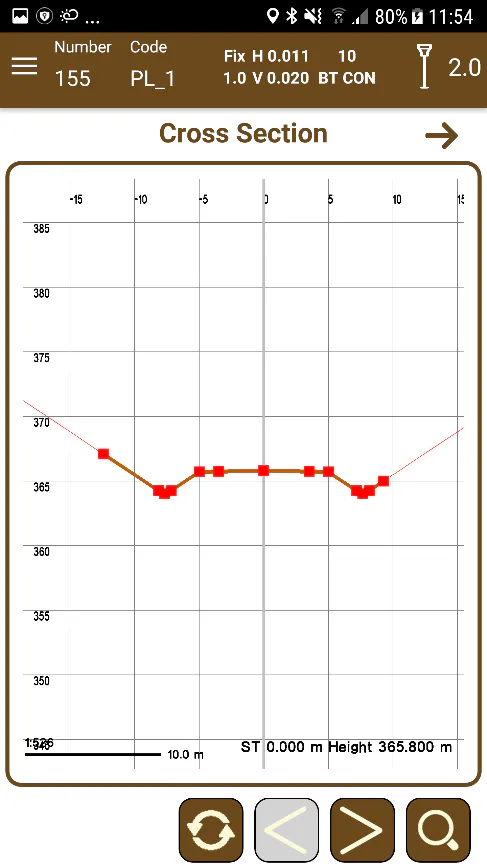
The display of the templates presents the template in the current station of each one of the transverse files contained in the list.
When you start the window, the application will immediately be placed in the template closest to the current position. With the buttons 
 you can switch from one station in the template to the previous one or the next one respectively. For templates, a magnification factor can also be applied to obtain a better definition.
 |  |
|---|---|
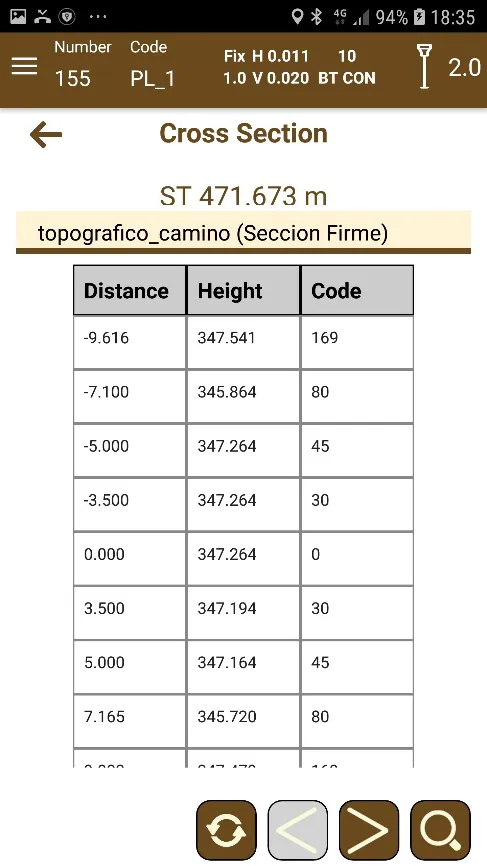
Figure 113. Cross section view | Figure 114. Cross section numerical information |
In the numerical presentation of the data of the templates, the information of the points of the transverse file selected in the current station is shown. The template to be displayed can be chosen from the drop-down list, automatically updating the data, and, in the graphic view, the template with greater thickness of the line will be highlighted.