
tcpGPS
Vertical alignment display - GPS v2
12.2 Vertical alignment display
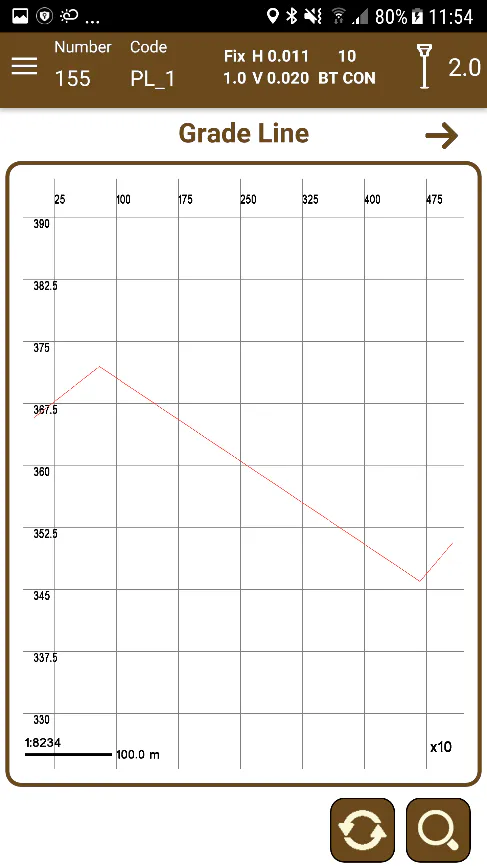
The display of the vertical alignment presents it in elevation. As in the horizontal alignment, rotation of the presentation is allowed. In addition, in this case, a magnification factor can be applied to obtain a better definition of the vertical alignment in the button  . This magnification is in the x1 - x20 range.
 |  |
|---|---|
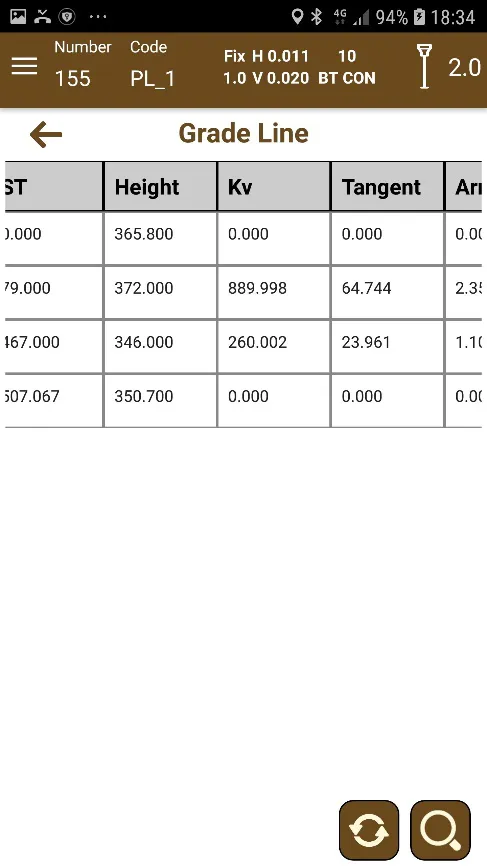
Figure 111. Vertical alignment view | Figure 112. Vertical alignment numerical information |
As in the horizontal alignment, on tablets the information of the vertical alignment and its elevation view is presented for a better analysis of it, as well as the possibility of hiding the column of data and extending the elevation of the vertical alignment.