
tcpGPS
Horizontal alignment display - GPS v2
12.1 Horizontal alignment display
 |  |
|---|---|
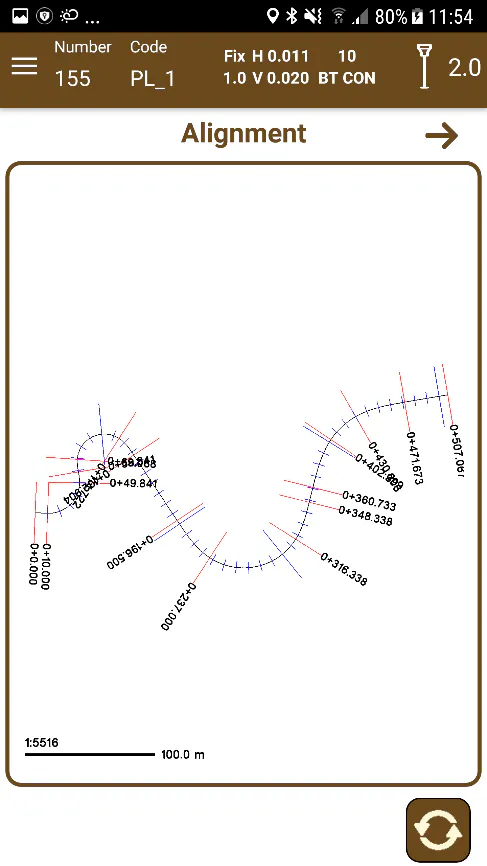
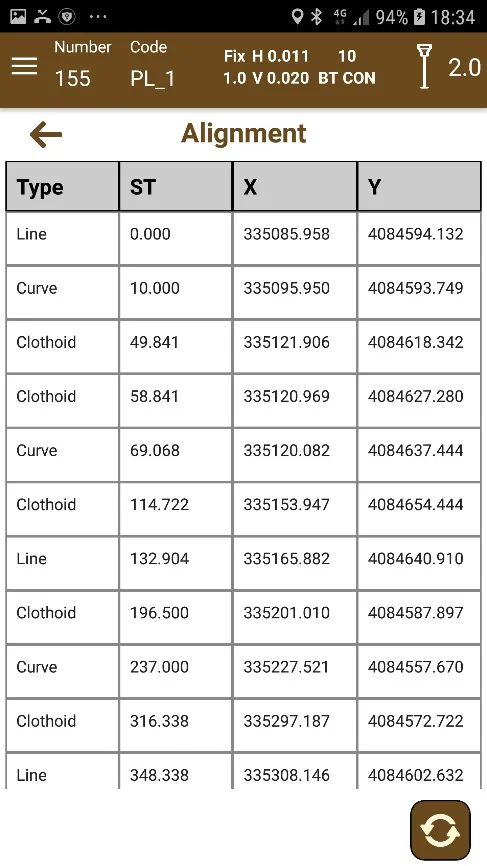
Figure 109. Top view of the alignment | Figure 110. Numeric information of the alignment |
The display of the horizontal alignment presents the vertical alignment and allows the rotation  of the presentation for a better observation, especially if a smartphone is used.
In smartphones you can alternate between the elevation view and a table with data of the horizontal alignment and in tablets both screens are presented at the same time for a better study of the information. The button  allows it to extend the plant of the horizontal alignment to full screen for a greater definition or to return to the two columns with the numerical information.