
tcpMDT
Adjust - MDT25
20.6 Adjust
In the dialogues described below the image is shown before and after applying the changes; in these image controls the images can be viewed on the scale 1:1 or the complete image.
In all the following commands it is requested to select an image and the selection of the name and location of the resulting image is allowed. When the command ends, the original image is replaced by the resulting image in the drawing.
The difference of this command group from the specific AutoCAD ones lies in whether the original image is affected or not. Any adjustments made by this command group will be saved in an image file, whereas with AutoCAD, in which said adjustments are only saved in the drawing, the image file is not modified.
Brightness
This allows the brightness of the selected image to be modified. Brightness is assumed to mean the total amount of light in an image.
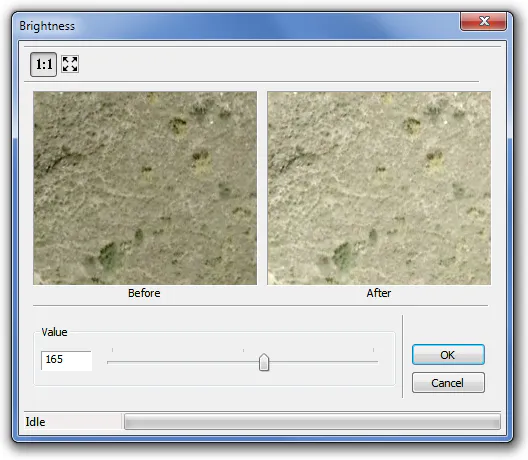
Value: to modify the image brightness level and it may fluctuate between -1000 and 1000.
Contrast
This allows the contrast of the selected image to be changed. Contrast is taken to mean the degree of difference between the darkest and brightest components in an image.
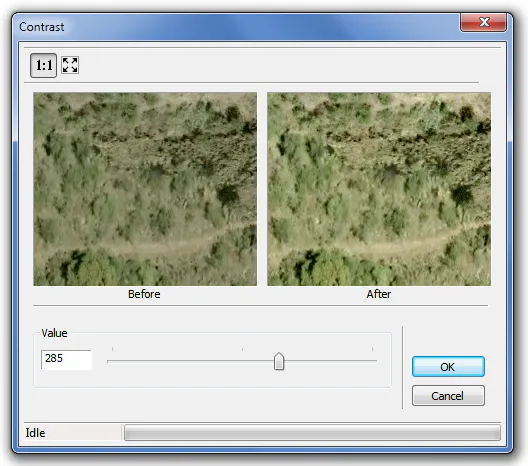
Value: to modify the image contrast level and it may fluctuate between -1000 and 1000.
Hue
This allows the hue of the selected image to be changed. The hue of a polychromatic image is taken to mean the level of each of the color components (RGB) and, in the case of monochromatic images, the grayscale is referred to. This is why in the dialogue the levels of each component can be changed separately or jointly.
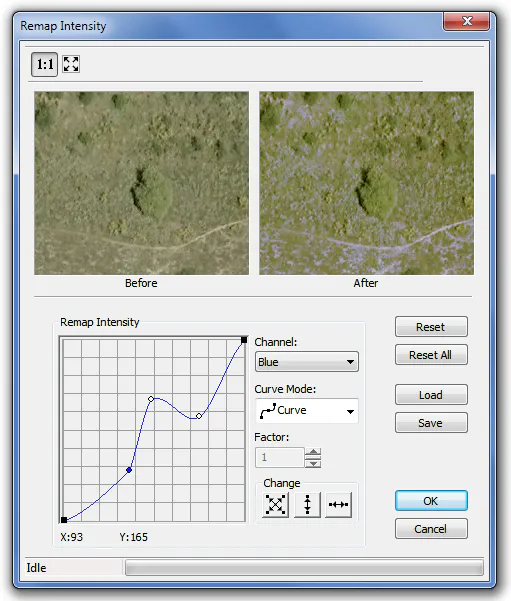
The dialogue has the following fields:
Channel: this allows the channel to be selected where the changes will be applied and it has four options: RGB (applied on all channels), Red (only applies to the red channel), Green (only applies to the green channel), Blue (only applies to the blue channel).
Curve mode: this allows the curve mode to be selected which is used in the graphic to modify the hue level. There are four options:
•  curve
•  lineal
•  exponential
•  logarithmic
Factor: this allows a factor to be given to the logarithmic or exponential curve.
Change: these modes can only be used for curves of the Curve or Linear type and they serve for moving the graphic curve.
•  movement of the curve vertically and horizontally.
•  vertical movement of the curve.
•  horizontal movement of the curve
Restore: puts the defect values on the current channel.
Restore all: puts the defect values on all the channels.
Load: this allows the loading of a file with an extension *.lri which contains the characteristics of the hue curve for application to the image.
Save: this allows the characteristics of the current hue curve to be saved in a file with the extension *.lri for use on a future occasion.
Saturation
This allows the saturation of the selected image to be changed. Saturation is taken to mean the relative purity or amount of white light mixed with a tone (represents the dominant color), and this is why the pure colors of the spectrum are wholly saturated and they do not have any amount of white light.
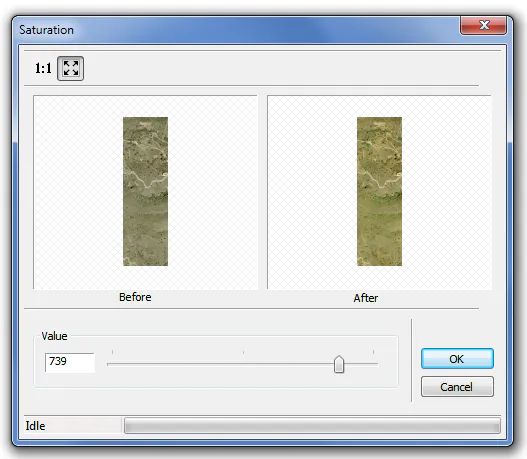
Value: to modify the amount of white light which is added to the color of the image and may vary between -1000 and 1000.
Gamma
This allows the gamma values of each of the three color channels of the selected image to be changed. The gamma correction is a special way of increasing contrast designed to improve the contrast in very light or very dark areas. This is achieved by modifying the mean values, particularly the medium-low ones, without affecting either the white (255) or the black (0). It may be used to improve the appearance of an image or to compensate the performance of different devices in the case of an image.
As in previous commands, the correction can be made on the three channels at the same time or on a given color channel (RGB).
A gamma value of 150 is equivalent to the original hue curve. An increase in this value brightens the image and increases the contrast in the darkest areas. A value of under 150 darkens it and emphasizes the contrast in the brighter areas.
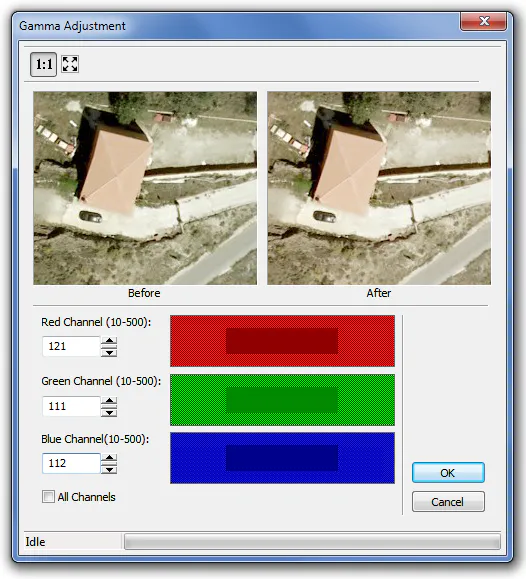
The dialogue has the following fields:
Red Channel: to indicate the gamma value for the red channel, it may fluctuate between 10 and 500 and the value 150 is equivalent to the original gamma level of the image.
Green Channel: to indicate the gamma value for the green channel, it may fluctuate between 10 and 500 and the value 150 is equivalent to the original gamma level of the image.
Blue Channel: to indicate the gamma value for the blue channel, it may fluctuate between 10 and 500 and the value 150 is equivalent to the original gamma level of the image
All channels: when changing the value for one of the channels it is reflected for all the others.
Balance Colors
This allows a change in the total mix of colors in the selected image. Reference is made to the adjustment of the relative amounts of red, green and blue (primary colors) in an image in such a way that the neutral colors are reproduced correctly. The color balance changes the total mix of colors in an image.
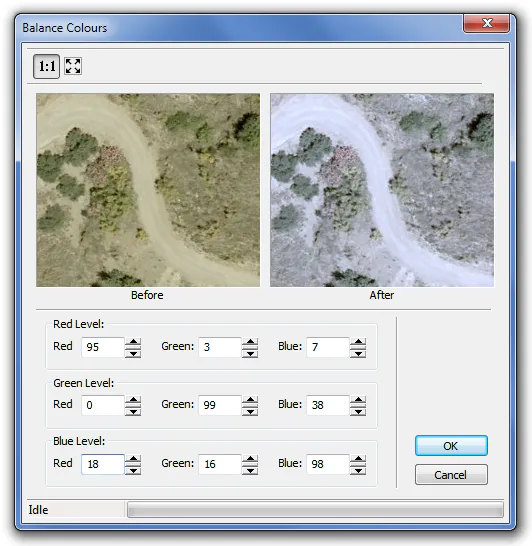
The dialogue has the following fields:
Red Level: this allows an adjustment to the red level, changing the different contributions of Red, Green and Blue. The ideal value in this case is Red = 100, Green = 0 and Blue = 0.
Green Level: this allows an adjustment to the green level, changing the different contributions of Red, Green and Blue. The ideal value in this case is Red = 0, Green = 100 and Blue = 0.
Blue Level: this allows an adjustment to the blue level, changing the different contributions of Red, Green and Blue. The ideal value in this case is Red = 0, Green = 0 and Blue = 100.