
tcpMDT
With these tools we can control the positionorientation of the camera - MDT25
18.14 With these tools we can control the position/orientation of the camera.
 If enabled, orbiting the camera forces the Z vector to stay vertical, which makes the camera move in a sphere around the target point.
 Allows you to designate one or two points on the ground and positions the camera on the first point. If there is a second point, it is used to orient the camera. Otherwise, the current orientation is maintained.
 When using the Position tool, this value defines how far above the ground the camera should be located. That is, the final position of the camera will have the height of the first point designated in Position plus the value entered in this field.
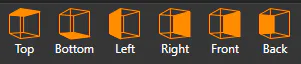
Orient the view so that the camera looks towards the indicated orthogonal plane.
Zoom
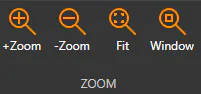
With these tools we can control the zoom level.