tcpMDT
Occupation area - MDT25
19.27 Occupation Area
This command lets you calculate the affected area of one or more plots from a closed polyline.
Initially, the cell size that will be used to calculate the surface is requested. The default is set to 1 meter. The smaller the cell size, the more accurate the calculation will be.
Next, you must designate the intersecting polyline and finally the plots for which you want to know the area occupied.
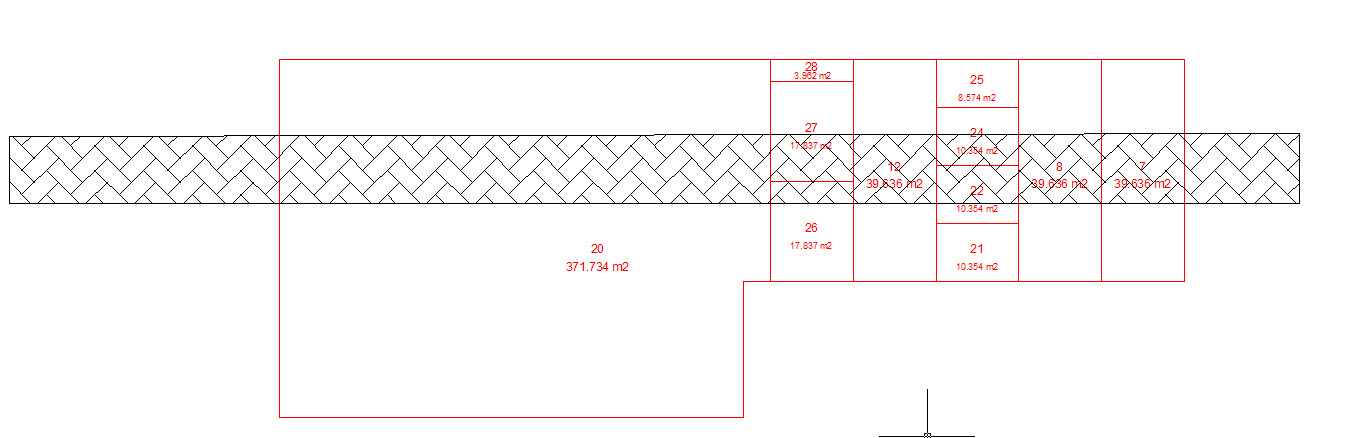
Once the calculation has been done, you will see a list of the affected plots:
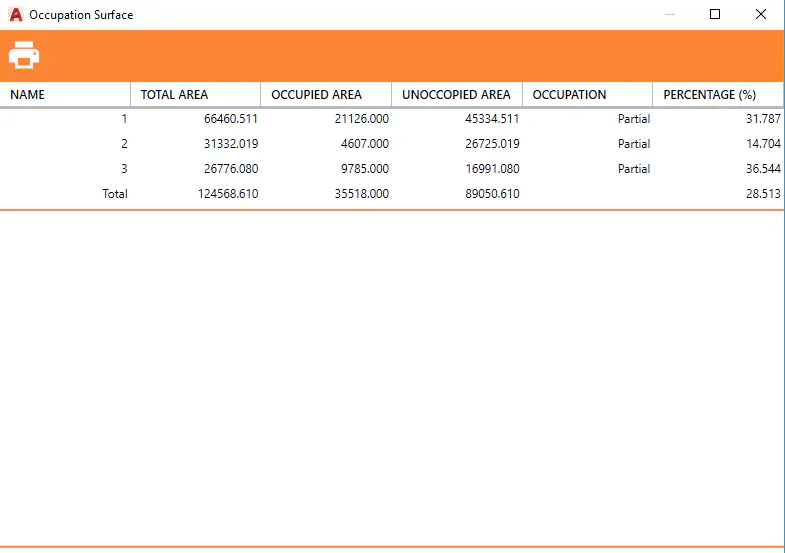
For each plot the following data is shown:
-
Name
-
Total area
-
Occupied area
-
Unoccupied area
-
Occupation, which may be total or partial.
-
Percentage of occupation.
You can print the list in different formats.
Export
With this option you can export all existing plots in the drawing to a file of a specific format.
The following formats are currently supported:
Shape
This lets you export existing plots or buildings to the Shape format, each of plot attributes plots will be included as attributes in the Shape file.
If later you execute the command "Contours/Cartography>Import GIS" and select the created Shape file, you will see how you can customize the import of attributes associated with the plots.
LandXML
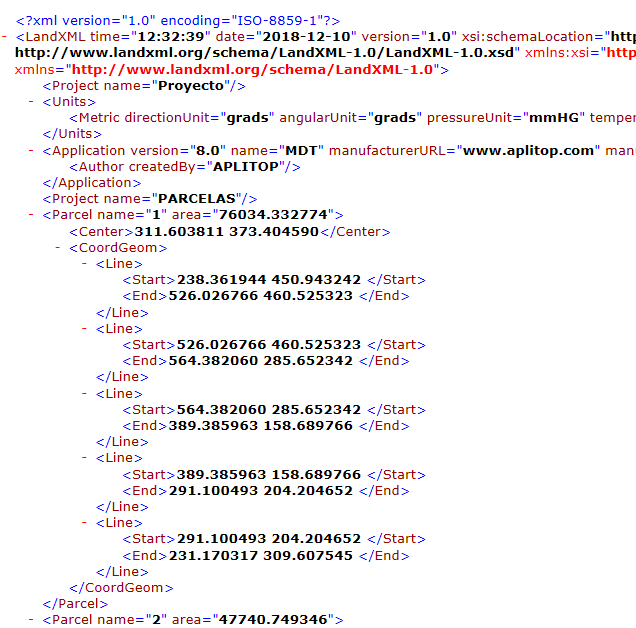
The selected plots will be exported to the LandXML format. An extract of a file in LandXML format with several plots is shown below.