
tcpMDT
Add data from tcp PointCloud editor - MDT25
1.6 Add data from Tcp PointCloud Editor
This tool will allow us to automatically add the files of a Tcp PointCloud Editor project to the TcpMDT Active Project Panel.
First, it will ask us for the project file, the file has the extension "pce" and then the following window will appear in which the files contained in the selected project and that are compatible with TcpMDT are shown.
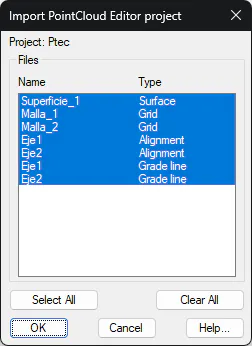
In the list, we have the possibility to select multiple files to import, we can also use the Select All or Clear All buttons, in case we want to select all the files or deselect them respectively.
After pressing the OK button, the TcpMDT Project Panel will update automatically by inserting the selected files.
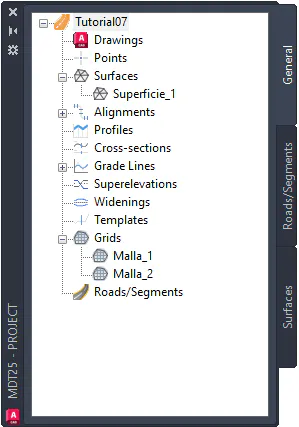
The selected files will remain in their original location and from the Project Panel we will have the possibility to work directly with them.