tcpMDT
Creating traverse - MDT25
16.1 Creating Traverse
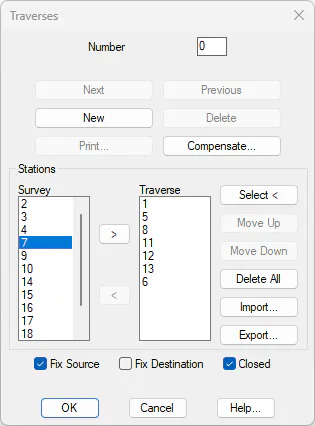
Enter Surveying > Traverses. On the Survey station list, double click stations 1, 5, 8, 11, 12, 13 and 6 in this order in such a way as to complete the stations list. You will observe that the box Fix Source has enabled automatically. Also enable the Closed box and press the Compensate button.
A new dialog will now appear in which we will find the provisional coordinates for the stations and the closing error at X,Y,Z and angle. Furthermore, the horizontal and vertical errors eH and eV are shown with regard to the length of the traverse.
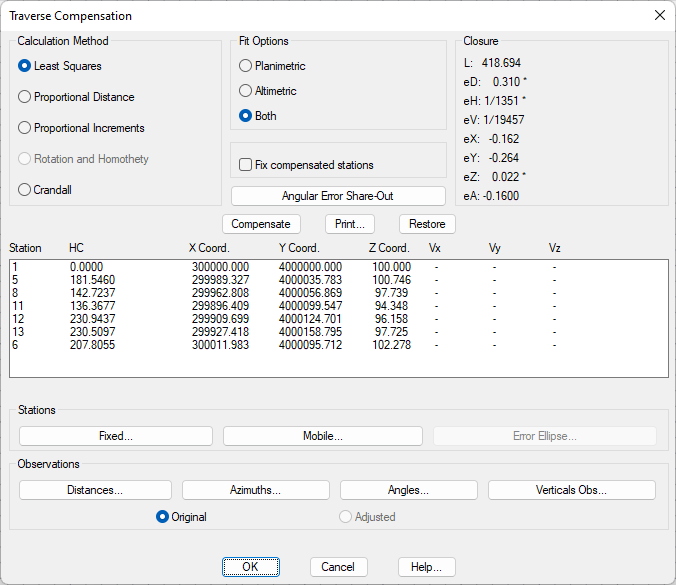
Traverse Compensate
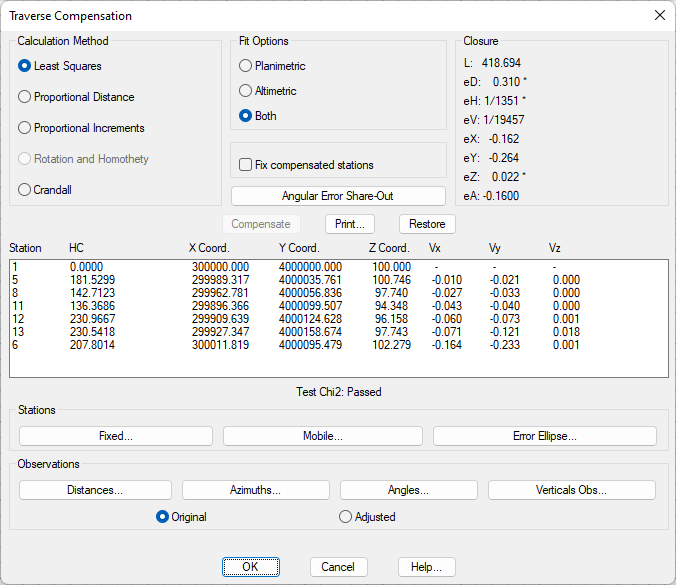
Check that the Calculation Method is Least Squares and press the Compensate button. Check that the coordinates of all the mobile stations have been changed, indicating the displacement applied. Under the list it can be observed that the Chi2 test has been passed.
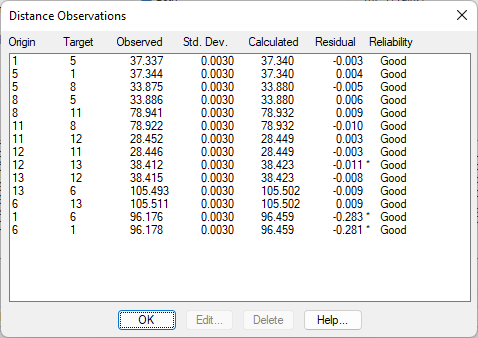
Press the Distances button in the Observations frame. The final column shows the result of the other quality control test selected in the configuration, Baarda test. These results are also shown for the other observations. Press OK to close the dialog.