tcpMDT
Generating reports - MDT25
21.5 Generating Reports
Finally, we are going to generate the different reports in accordance with the work units assigned to the different objects.
When generating reports, the following dialogue box will appear in which we define the objects to be calculated.
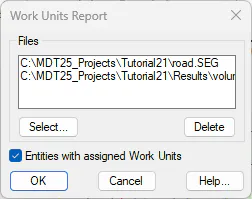
Clicking on the Select button will enable us to select the road and the earthworks file generated in the previous steps, after which we check the Entities with assigned Work Units box to ensure it includes the entities from the drawing to which we have assigned works units.
Works Units Reports
We execute the Quantity Takeoff > Works Units > Road Works Units Report command and select the elements to be calculated. The corresponding report will then be calculated.
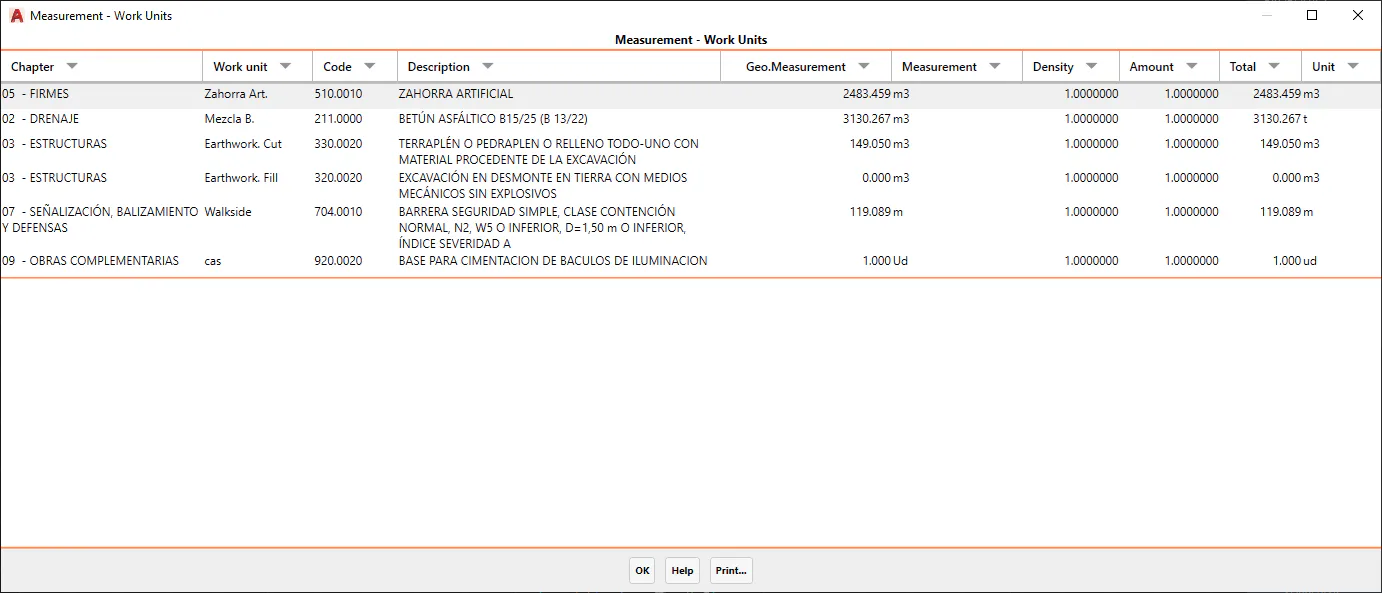
We can see that the Work Unit column is the object to which the work unit has been assigned, and the names of the pavement layers, earthworks and objects are displayed.
Consumption and Emissions Report
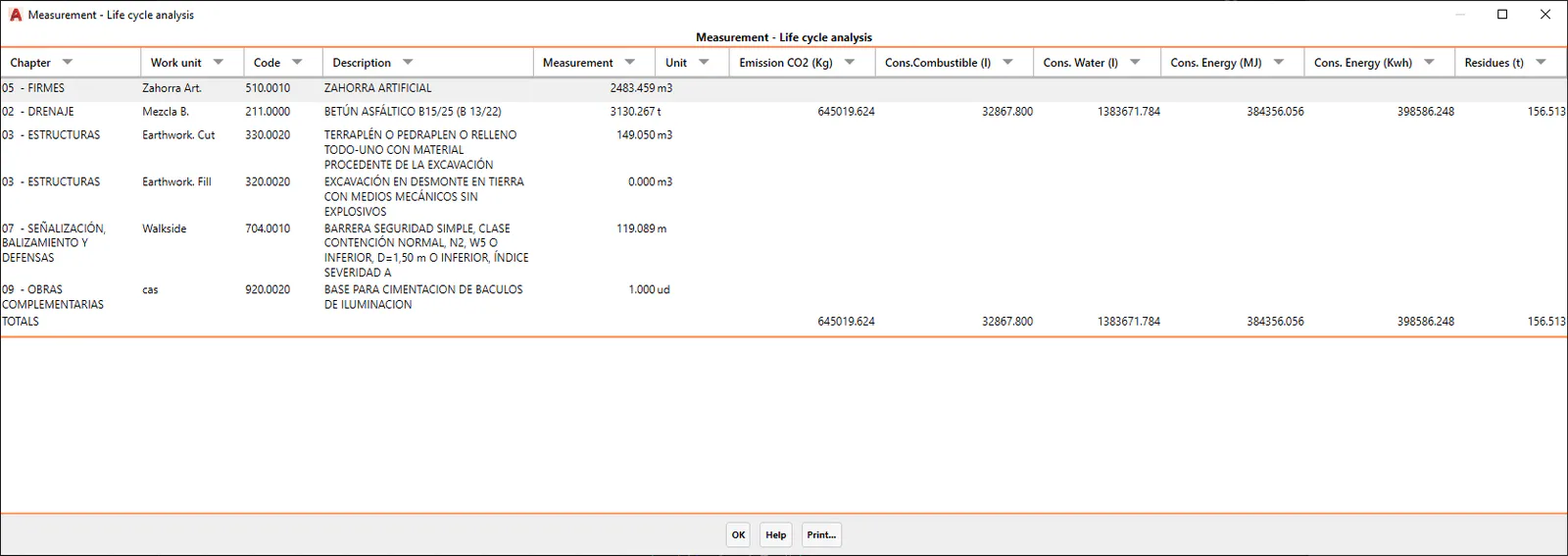
We execute the Quantity Takeoff > Work Units > Road Consumption and Emissions Report command and a report similar to that in the previous point will be displayed, but in this case it refers to the life cycle.
Information on measurements will only be displayed for works units with an assigned consumption and emission unit. See the Reference Manual in the Measurements section for more details.