
tcpTunnel CAD
Cross section panel - TNC3
14.4 Cross-section Panel
On the left side of the window a panel is displayed with the vertex data of the active cross-section at the current station:
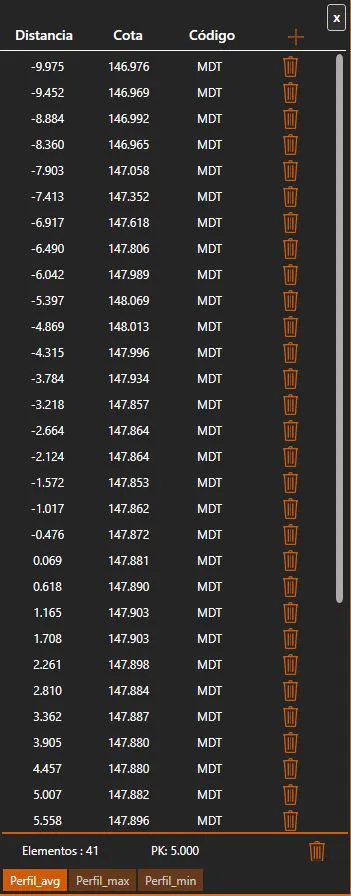
Close: Closes the active cross-section file without saving.
Insert: Adds a new vertex to the active cross-section polyline.
Vertex list:
For each vertex the following information is shown in the list, from left to right:
Distance: The horizontal distance of the vertex from the axis.
Height: The height of the vertex.
Code: An optional alphanumeric code associated with the vertex, used for classification purposes.
Delete: Removes the vertex from the cross-section.
The vertex list can be edited by double-clicking on any cell to modify its value directly.
Dynamic points mode: When enabled (and a .trs reference file is loaded), the reference points for the current station are shown in the viewer and their distances and heights are displayed alongside the cross-section vertices.
Delete Station: Removes the entire cross-section at the current station from the file.
Active profiles list: Shows all the cross-section profiles defined for the current station. Multiple profiles can exist at the same station. Clicking a profile in the list makes it the active one for editing.