
tcpTunnel CAD
Introduction - TNC3
14.1 Introduction
The cross-section editor allows editing cross-section files (.tra and .tri extensions). Additionally, it is possible to load a .trs point file so that the surveyed cross-section points are shown as a reference in the CAD viewer.
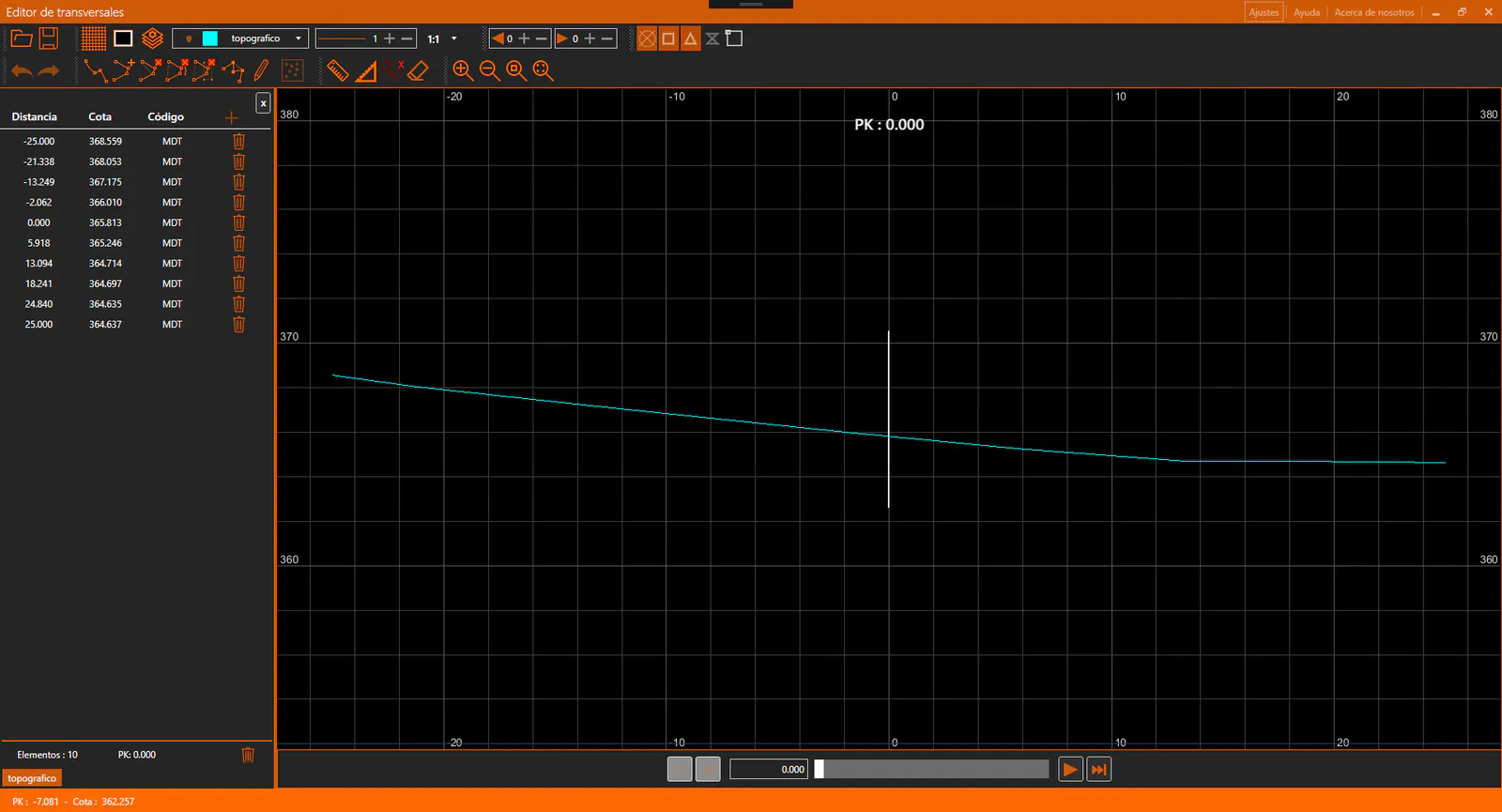
The application window is divided into the following sections:
Title bar: Shows the name of the application and the name of the active file.
Toolbar: Contains the controls for managing the CAD viewer and the current cross-section file.
Cross-section Panel: Located on the left side of the window. Displays the vertex data of the active cross-section and allows editing.
CAD Viewer: Displays the cross-section graphically, including annotations.
Navigation Bar: Located below the CAD viewer. Allows navigating between the different stations of the cross-section file.
Status bar: Located at the bottom of the window. Shows contextual information about the current state of the application, such as cursor coordinates or the active command.