
tcpTunnel CAD
Edit grade node - TNC3
13.5 Edit Grade Node
This dialog appears when performing insertions or modifications to the nodes of the active grade.
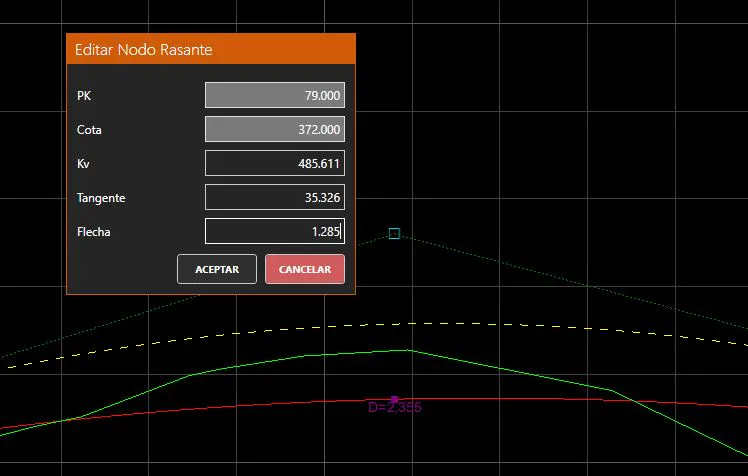
Station: The station of the node. Editable on all nodes. Must be unique within the grade.
Height: The height of the node. Always editable.
Kv: The vertical curve radius at the node. If set to zero, the node will be a simple break point with no vertical curve. Always editable.
Tangent: The tangent length of the vertical curve. Calculated automatically from the Kv value and the adjacent slopes. Shown for reference only; not directly editable.
Arrow: The arrow (sag or crest) of the vertical curve. Calculated automatically. Shown for reference only; not directly editable.
If the defined node overlaps with an adjacent vertical curve, a warning will be shown and the node will not be accepted until the overlap is resolved by adjusting the Station or Kv values.
At all times a preview of the modified grade is shown as a yellow dashed line in the viewer. Modifications can be seen in real time as they affect the grade.