
tcpTunnel CAD
Introduction - TNC3
13.1 Introduction
The grade editor allows viewing and editing grade files (.ras extension). Additionally, it is possible to load a .lon file so that the longitudinal profile of the tunnel is shown as a reference in the CAD viewer.
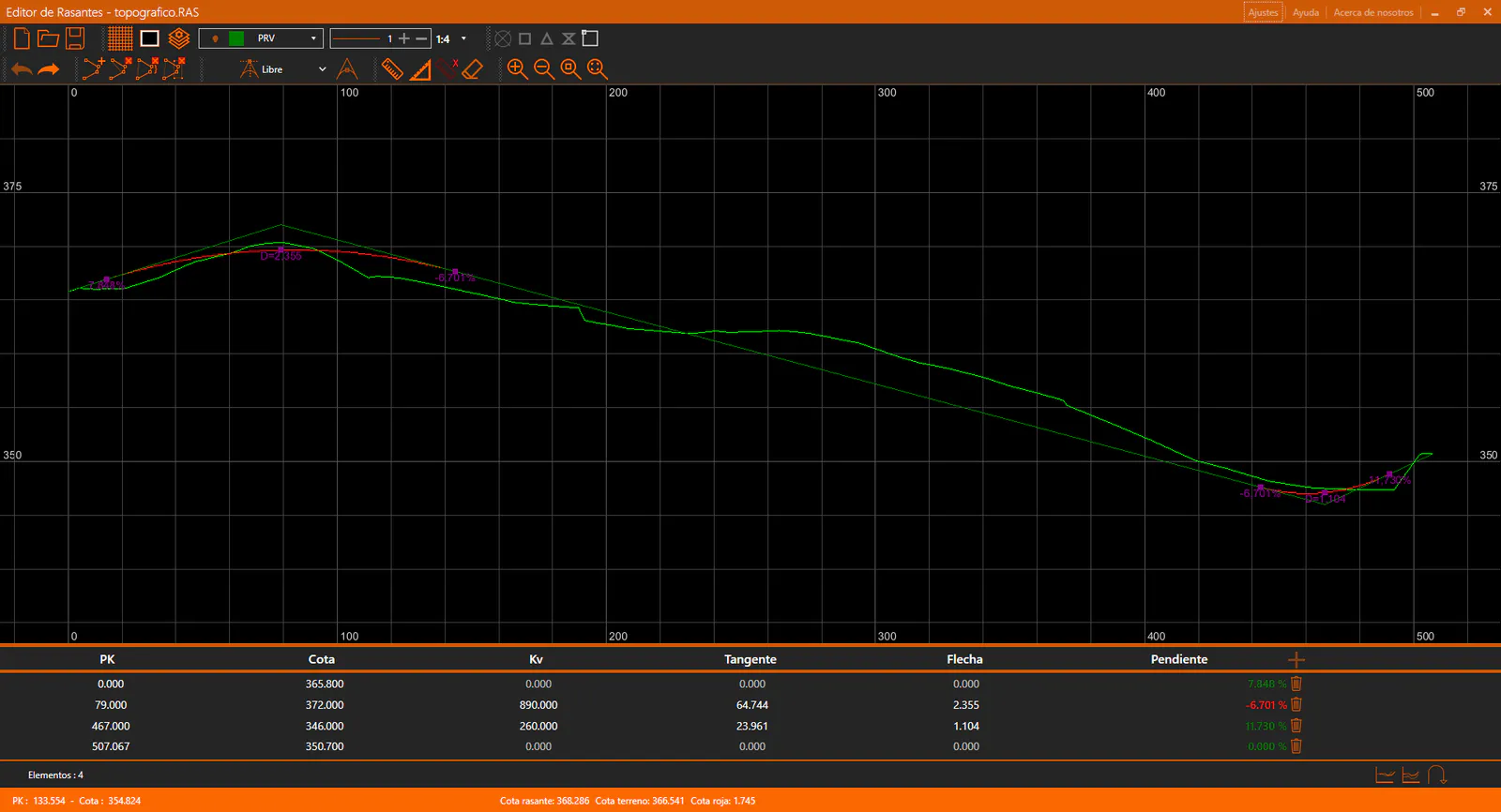
The application window is divided into the following sections:
Title bar: Shows the name of the application and the name of the active file.
Toolbar: Contains the controls for managing the CAD viewer and the current grade file.
CAD Viewer: Displays the grade graphically, including annotations.
Grade Panel: Located below the CAD viewer. Displays the grade node data in tabular form and allows editing.
Status bar: Located at the bottom of the window. Shows contextual information about the current state of the application, such as cursor coordinates or the active command.