
tcpTunnel CAD
Introduction - TNC3
15.1 Introduction
The superelevation editor allows editing superelevation files (.per extension). Additionally, if an axis file (.eje) is loaded in the application, it is possible to visualize the curvature diagram of the axis as a reference.
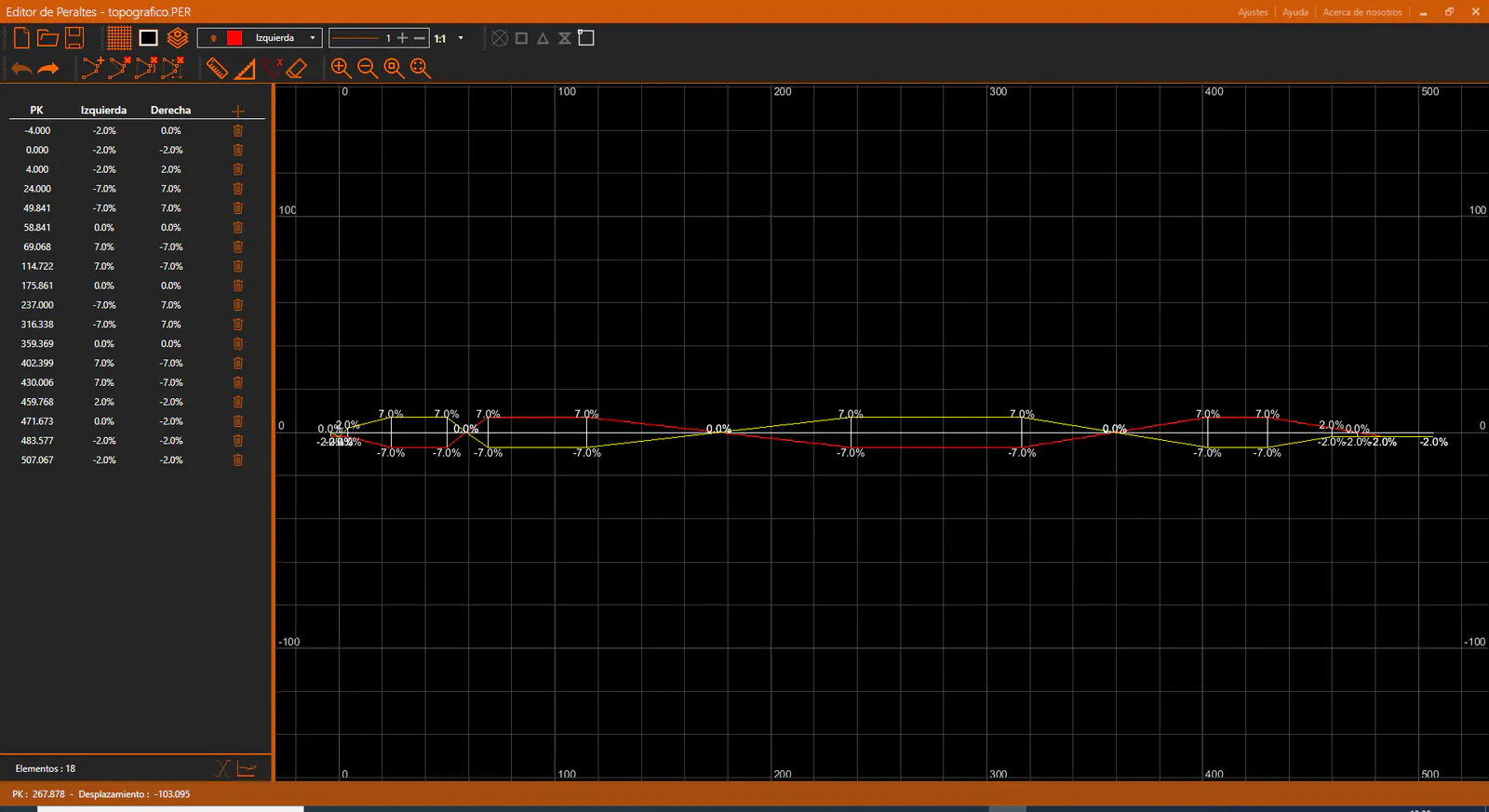
The application window is divided into the following sections:
Title bar: Shows the name of the application and the name of the active file.
Toolbar: Contains the controls for managing the CAD viewer and the current superelevation file.
Superelevation Panel: Located on the left side of the window. Displays the superelevation node data in tabular form and allows editing.
CAD Viewer: Displays the left and right superelevation polylines graphically.
Status bar: Located at the bottom of the window. Shows contextual information about the current state of the application, such as cursor coordinates or the active command.