
tcpTunnel CAD
Superelevation panel - TNC3
15.5 Superelevation Panel
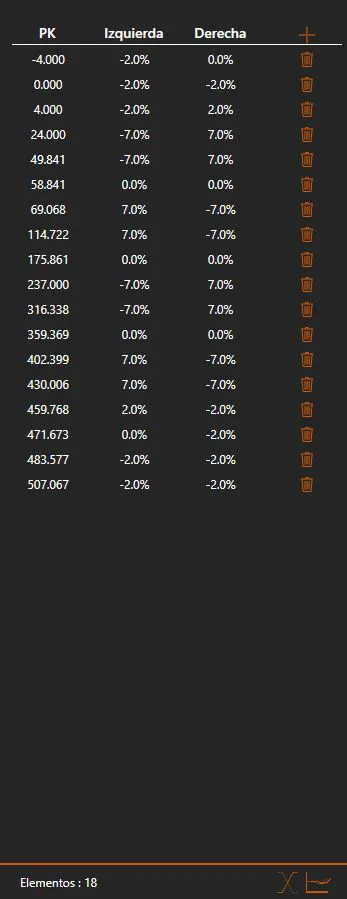
On the left side of the window a panel is displayed with the node data of the superelevation:
Insert: Displays the Edit Superelevation Node dialog to insert a new node.
Node list:
For each node the following information is shown in the list, from left to right:
Station: The station of the node.
Left: The left superelevation value at this station, expressed as a percentage.
Right: The right superelevation value at this station, expressed as a percentage.
Delete: Removes the node from the superelevation.
The node list can be edited by double-clicking on any cell to modify its value directly.
Superelevation tools:
In the lower right of the panel there are some tools for performing specific operations on the superelevation:
Invert: Inverts the superelevation, swapping the left and right values at each node.
Shift Stations: Allows one to apply an offset to all node stations, shifting the entire superelevation along the station axis.
If the active superelevation has been modified, when attempting to load a different file or closing the application, a dialog will appear allowing one to save the changes to the original file or a new file, discard the changes, or cancel the close/file change.