
tcpTunnel Scan
Options - TSCAN1
9.1 Options
The parameters that can be configured in this window are as follows:
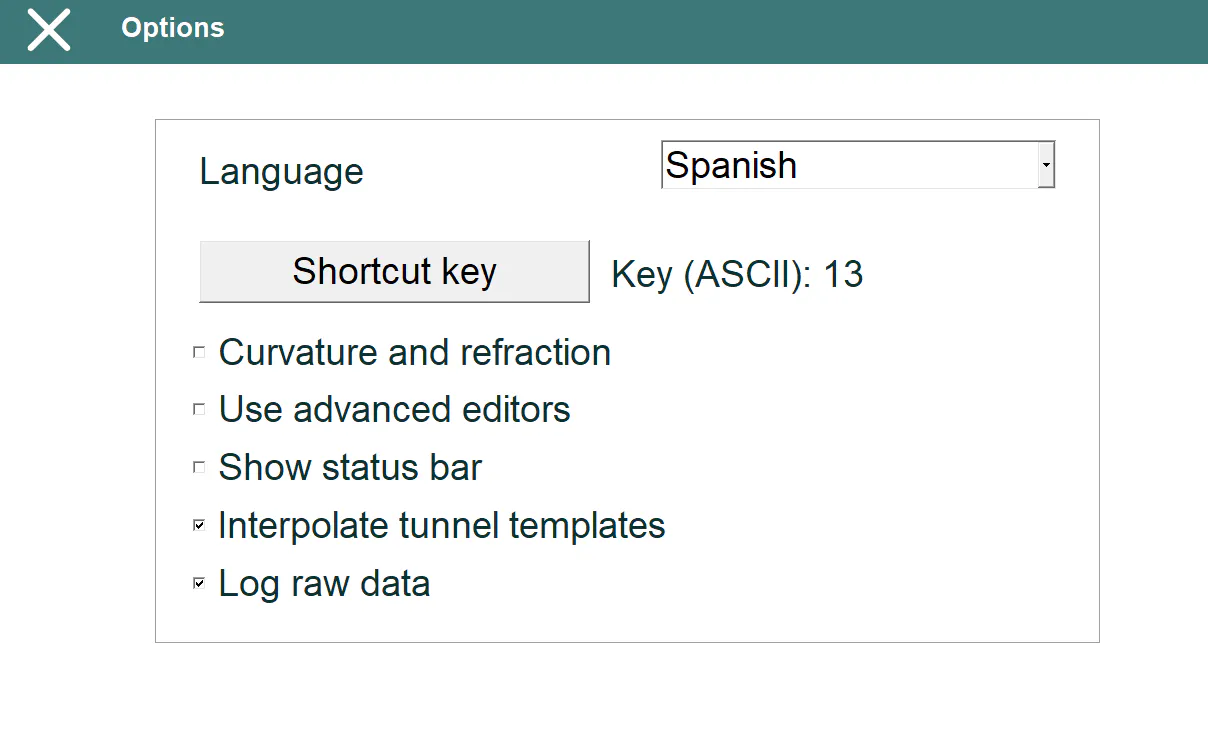
Language: Allows one to change the language of the application. The program must be restarted to apply the changes.
Shortcut Key: Physical key for measuring points in several options (points measurement, checking cross-sections and points and setting out road surface and points).
Curvature and Refraction: Indicates whether this coefficient should be applied to calculate the measured points' heights. It is important to ensure that this coefficient is only taken into account at the total station or by the application to avoid calculation errors.
Use advanced editors: Allows to change between classic menu or advanced editors for horizontal and vertical alignments and superelevations.
Show Status Bar: Allows one to enable or disable the display, in real time, of the horizontal y vertical angles within the options where the program make measurements.
Interpolate Tunnel Templates: If the project has different tunnel templates assigned along the horizontal alignment, the program allows one to create an interpolated tunnel template for each station that has been measured.
Log Raw Data: Allows one to save the raw information from each measurement. See section File Management > Raw Data.