
tcp PointCloud Editor
Fit vertical elements - PCE
12.8 Fit Vertical Elements
Location
- Ribbon menu
- Feature Extraction
- VERTICAL ELEMENTS
- Fit... (Fit Vertical Elements)
Description
This command allows to fit vertical elements on top of groups of points in the point clouds.
Parameters
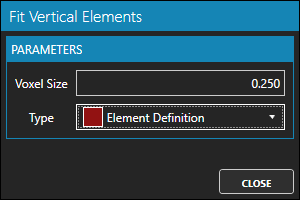
| Name | Meaning |
|---|---|
| Voxel size | Size of the voxel used to group points |
| Type | Type (definition) of vertical element to fit |
How to use
-
Hide points in point clouds that are not part of vertical elements, such as terrain points.
-
Start the command.
-
Set voxel size and vertical element type (definition) parameters.
-
Click on points in the point cloud where you want to fit a vertical element of the selected type.