
tcp PointCloud Editor
Point clouds properties - PCE
5.7 Point Clouds Properties
Location
- Ribbon menu
- Point Clouds
- POINT CLOUDS
- Properties (Point Clouds Properties)
Description
This command displays a dialog window with the properties of the selected point clouds.
In the dialog window you can see coordinate ranges, available properties and even histograms of some of the properties.
This command is only active when at least one point cloud is selected in the point cloud panel of the project.
Details
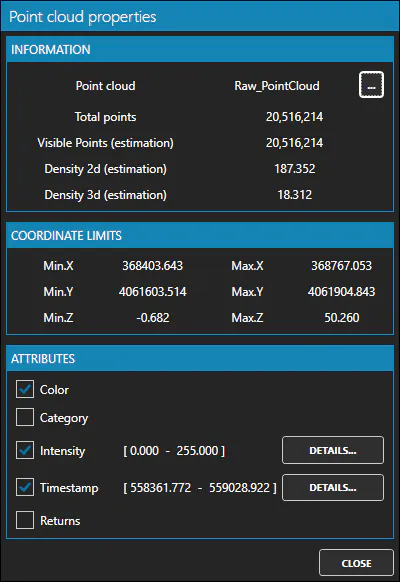
The ... button to the right of the point cloud name allows you to rename the point cloud.
The "DETAILS" button to the right of some attributes allows the display of attribute information in the form of a histogram.
Use cases
-
When you want to rename a point cloud.
-
When you want to see more detailed information about the point clouds individually or as a whole.