
tcp PointCloud Editor
Bind control points - PCE
8.2 Bind Control Points
Location
- Ribbon menu
- Register
- CONTROL POINTS
- Bind (Bind Control Points)
Description
This command displays the control points binding dialog.
In the 3D viewer the position of the binded points is shown by a small flag.
You can customize the binded points representation in the Application Configuration.
Details
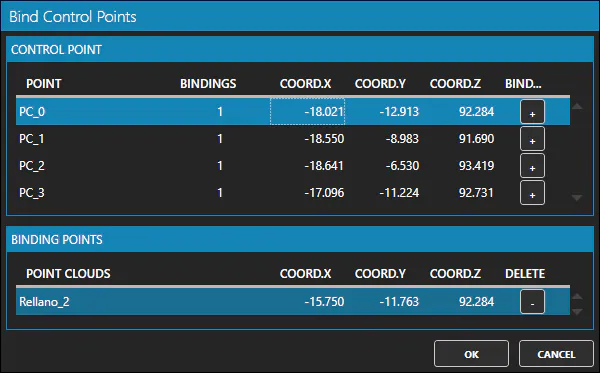
How to use
-
In the Bind Control Points window the list of available control points is displayed.
-
When you select a control point from the list, the list of associated points is displayed below.
-
By clicking on the "+" button of a control point in the list, you can designate a point in a point cloud as the point corresponding to that control point.
-
You can unbind a point by clicking the "-" button of the binded point.
Remarks
- Binded points in a point cloud will also be transformed when a transformation is applied (or undone) in the point cloud.