
tcp PointCloud Editor
Transform point cloud - PCE
8.7 Transform Point Cloud
Location
- Ribbon menu
- Register
- TRANSFORMATION
- Transform (Transform Point Cloud)
Description
This command allows different types of transformations, and will display different input dialogs depending on whether the transformation is calculated from point pairs or given directly by parameters.
Details
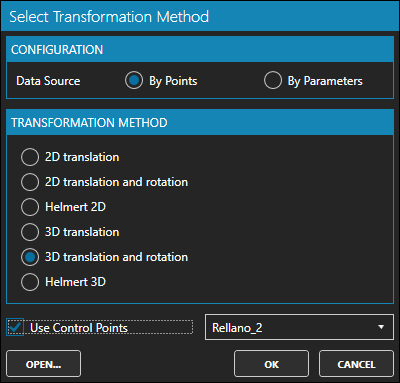
You can choose between several transformation methods.
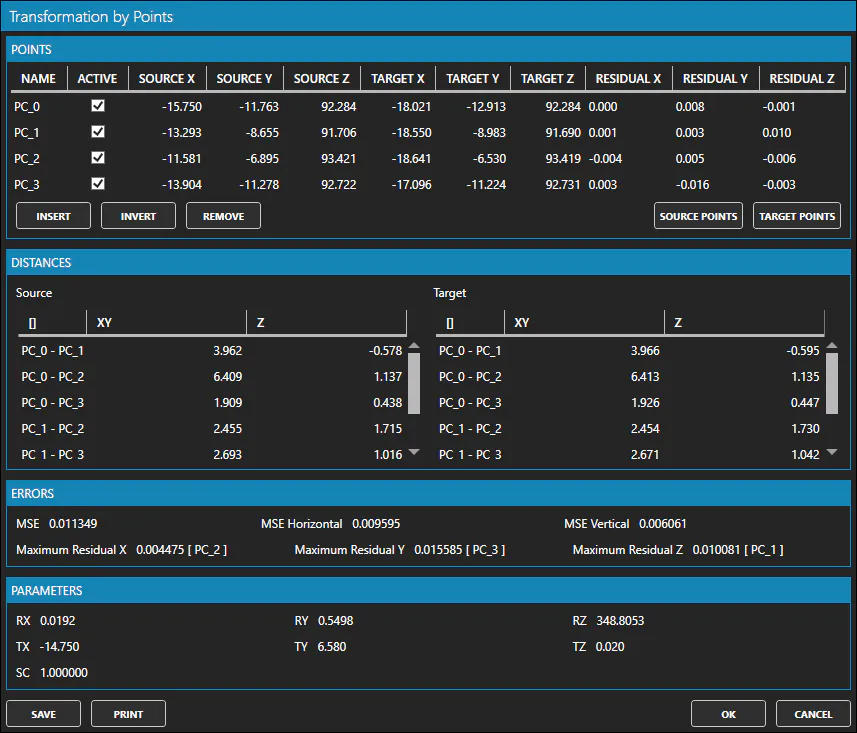
Once the method and data are set, the dialog will show transformation parameters and errors.
How to use
-
Configure whether the transformation will be done by points or by parameters.
-
Select the transformation method you want to use.
-
In the case of transformation by points:
- You can use the control points and binded points of the project. To do so, check the option "Use control points".
- The Transformation by Points dialog will be displayed. There you can set the source and target points.
-
In the case of transformation by parameters:
- The Transformation by Parameters dialog will be displayed, where you can set the parameters required by the selected transformation type.
-
Finally, in the Transform Point Cloud dialog, check the point clouds of the project that you want to transform.
Remarks
- You can import a transformation file (.ntr) with the transformation information, by clicking the "OPEN" button.