
tcpMDT Photovoltaic
Zones - PV25
2.6 Zones
The concept of zone refers to an enclosed area in which trackers are located. It is presented with a closed polyline. All the trackers of the project must be within one of the defined zones.
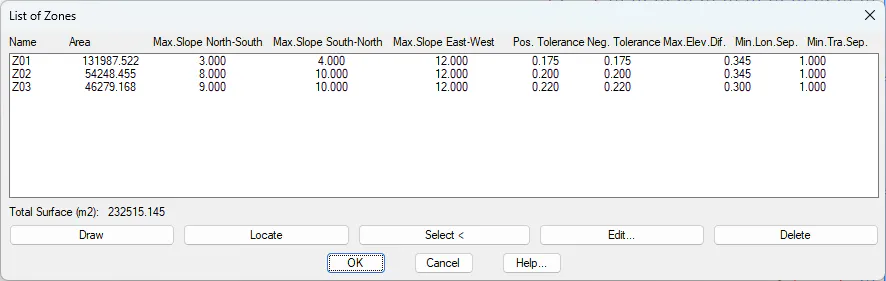
When you run this option, the following window will appear, showing a list of the existing zones in the current project.
Trackers Projects
Fixed Structures Projects
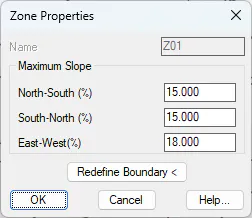
The definition of each of the parameters of each zone can be found in the next section, Edit Zone.
Draw: Pressing this button will draw the outline of each zone, as well as the name of the zone.
Locate: Zooms in on the selected zone.
Select < : With this option we create a new zone, it will ask us for the closed polyline that represents it and then the name, it is possible to designate in the drawing a text that represents the name of the zone to be defined.
Edit: Edit the selected zone. The following section describes its characteristics.
Delete: Deletes the selected zone, the representation of it in the drawing will also be deleted.