
tcpMDT
Calculation methods - MDT25
17.4 Calculation Methods
There are two different methods to calculate the volume associated to a cut, fill or organic soil. If the Curvature Correction check box is activated, the program will request a horizontal alignment file to perform the relevant calculations.
Average Area Method
In this case, the volume is calculated using the following formula:
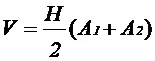
where:
V = Volume between the current and the previous station.
H = Interval between the previous and the current station.
A~1~ = Surface of the previous station.
A~2~ = Surface of the current station.
Prismatoid Method
In this case, the formula is as follows:
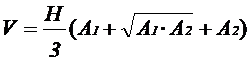
where:
V = Volume between the current and the previous station.
H = Interval between the previous and the current station.
A~1~ = Surface of the previous station.
A~2~ = Surface of the current station.
Accumulated Volume
These values are assigned to the respective volumes, so that they already have this value at the initial station on the list.
Cut: Accumulated cut value. MDT will start off with the value entered in this field as the cut value.
Fill: As above, but for fills.
Topsoil: Same as above, but for organic soil.
Factors
These values are factors which multiply the values calculated for the respective surfaces. They can be used to consider the bulking or compacting of earth when making volume measurement calculations.
Cut: Multiplying factor for the cut surface.
Fill: Multiplying factor for the fill surface.
Report Types
Normal: In this case, a list containing each profile's surface and volume calculations is displayed.
Accumulated: In this case, the accumulated surfaces and volumes for every two stations up to the current station are displayed on the list.
Once the dialog box is validated, the following list is displayed showing the final volume measurement (net difference).
Calculation Intervals
This option is used to exclude the calculation of particular areas that are not of interest to calculate, because, for example, they correspond with an intermediate area where there is really no terrain to apply cubic measurements.
When this option is activated, the following window is displayed:
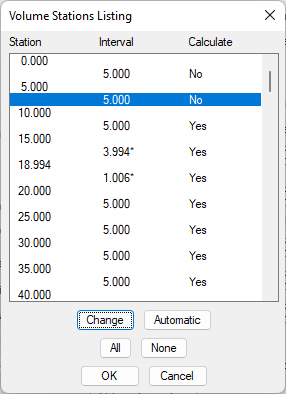
Double click on the interval or select and click the Change button to include or exclude the cubic measurement.
The options All and None are used to include and exclude, respectively, all the cubic measurement intervals.
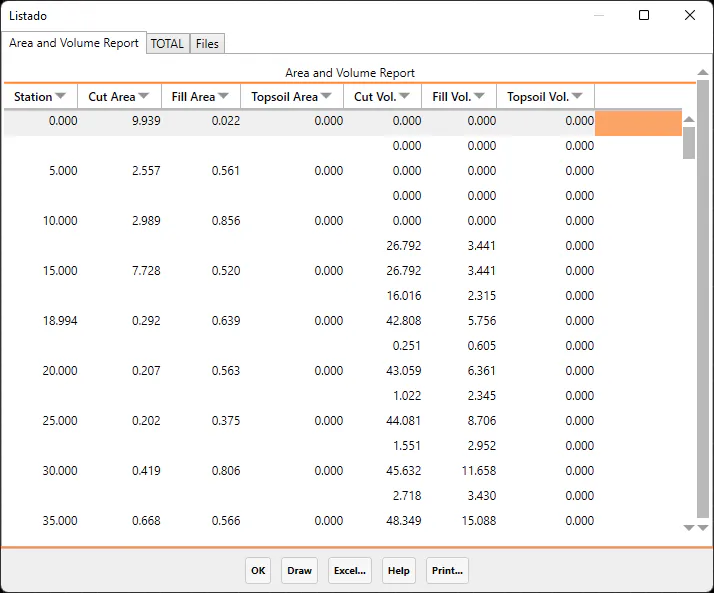
For each station, the report contains the cut and fill surfaces, the distances between profiles, as well as the partial and accumulated volumes
The totals appear in the last line, along with the cut and fill surface difference.
This list can be modified manually by changing the surfaces result and displaying the final result on subsequent lists.
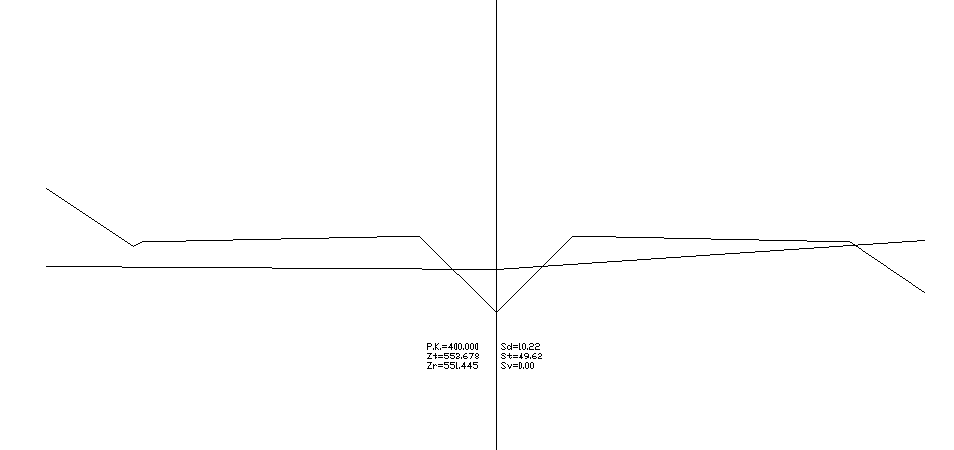
The dialog box offers the possibility of selecting Draw and, if the button is clicked, the segment will be drawn (see Draw Cross-Sections in the Cross-Sections section).
In addition, clicking on the Excel button sends all the list information to an Excel spreadsheet. The totals are introduced on the spreadsheet with a formula that modifies the end result if any of the values are modified.
Borders
In this section you can specify the limits in plant for the calculation of the volume. In this way, the designated polylines will indicate the limit or boundary up to which the calculation of surface and therefore volume will be carried out for each transverse profile.
Select: We select the polylines that we want to function as a border for the calculation. The number of designated polylines will automatically be displayed.
Delete: We remove all polylines designated as border.
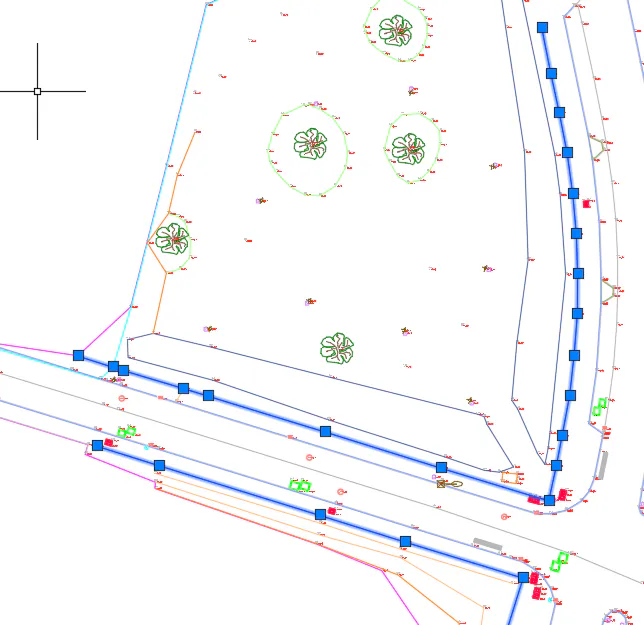
Example of polylines that act as a boundary in volume calculation