tcpMDT
[PRO] cross section measurements report - MDT25
17.15 [PRO] Cross-Section Measurements Report

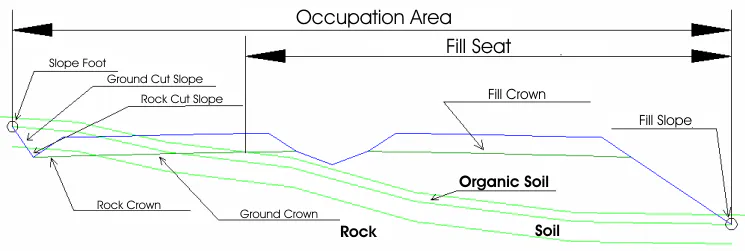
This command enables us to obtain two different report types of the length of the elements of the completed road or of the areas developed or in the cut and fill crown plan. Furthermore, it shows the developed areas in the fill, soil, rock and transit slope plan.
The following diagram illustrates the meaning of the measurement data.
MDT initially requests the segment where the cross-section is defined. The following dialog box is displayed, where one sets the list desired.
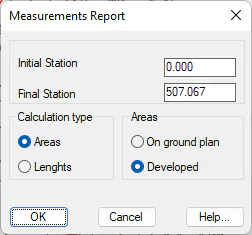
Initial station: Station from which one wishes to create the list.
Final station: Station up to which we wish to create the list.
Calculation type: The type of report to be created is set.
Areas: Selecting this option enables us to see if the list to be generated features in ground plan or developed.
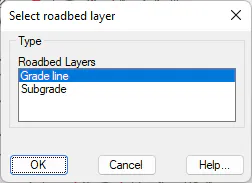
Once the dialog box has been validated a segment must be selected with roadbed or layers of associated roadbed. A window will appear in which we select the roadbed layer from which we wish to obtain the measurements.
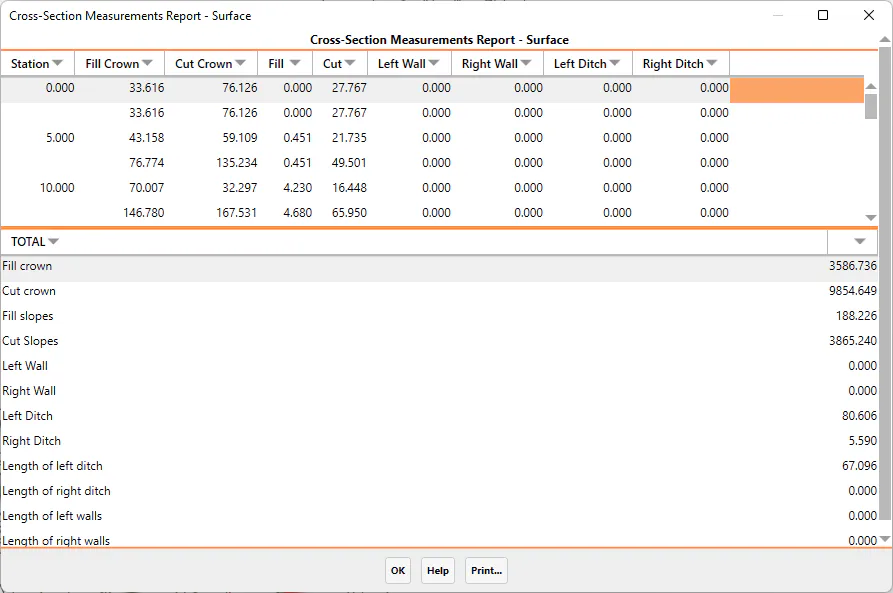
Once the dialog box has been validated, the following window is displayed showing all area values described above.
The totals of each of the measurements are displayed at the bottom of the window.
Additionally, the possibility also exists of either sending the contents to a printer or exporting the data to an Excel spreadsheet.