
tcpMDT
Calculate section of link - MDT25
14.4 Calculate Section of Link
Finally we are going to define the section of the road, we execute the option Segments > Intersection of Roads > Calculate Section of Link we select the alignment and then, as it appears in the information window, we designate the border polyline in the roundabout, we have the polyline in red.
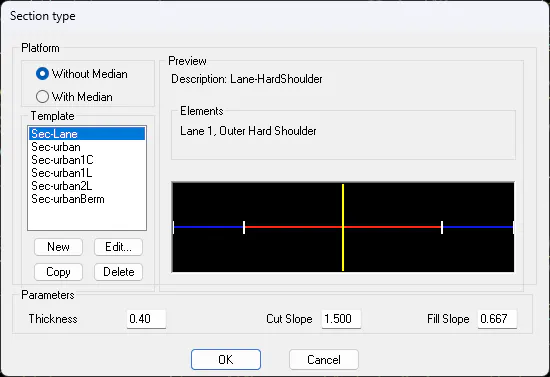
As the type of section we select the one that appears by default:
In this case, due to the position of the axis, we are going to have a lane to the right of 2.5 meters and an outer shoulder to the left of the axis of 1.5 both bankable, so we eliminate the vectors that we do not need and modify the dimensions.
The vector type Lane, we edit it and activate the option "Only in DX" within "Reference to Polyline". We select the polylines which we designate as the boundary in the generation of the profiles.

Finally, in the "Roadbeds" tab we delete the assigned roadbed, and the "Cut" and "Fill" slopes indicate that they are only applied on the left side.
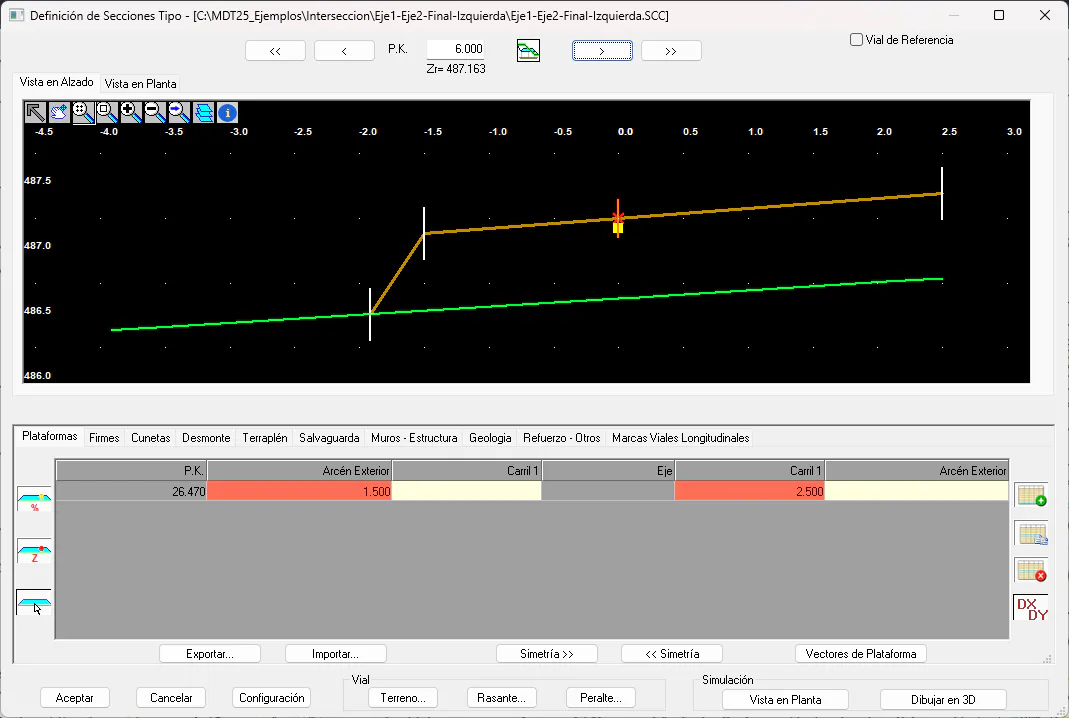
Finally, press the "OK" button and the definition will be automatically saved on the road at our intersection.