
tcpMDT
Right intersection - MDT25
14.5 Right Intersection
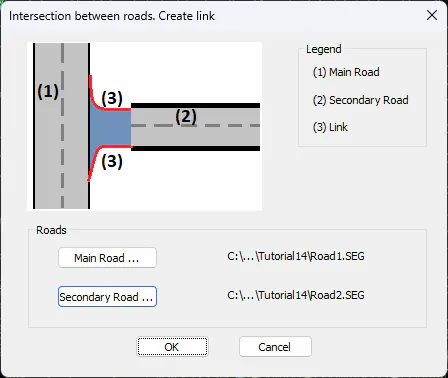
On the right side we will proceed in the same way as we have done with the left side, we select the option Road Intersection > Create Link, the following window will appear, in which we select Road1.seg as the Main Road and Road2.seg as the Secondary Road.
Once the files have been selected, we validate the window and this other window will appear in which we will define the alignment, in this case the right side.
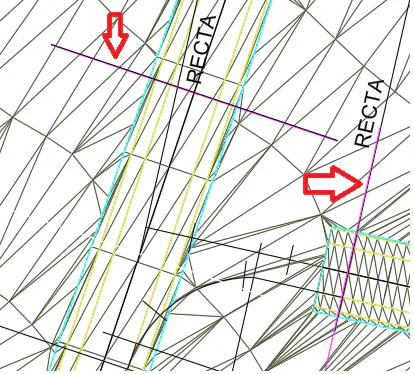
First of all, it will ask us for the tangency points of the secondary and main road, in the drawing, we have marked the position of them with an arrow.
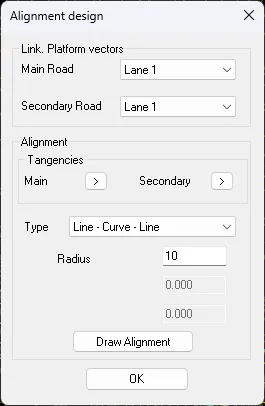
We configure the new alignment to be created according to the information that appears in the following screenshot and press the "Draw Alignment" button, then we validate the dialogue.
It will ask us for the name of the new segment to be created, by default it will propose Road1-Road2-End-Right.seg, we validate it.