tcpMDT
Importing survey data - MDT25
15.1 Importing Survey Data
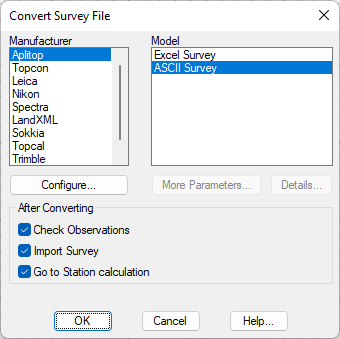
The first step is to convert the file from the total station or the data collector used for the survey. For that purpose choose Surveying > Import (or Surveying> Surveying> Import). Select as the manufacturer Aplitop, specify the format as ASCII Survey and choose the network.LEA, file in the C:\MDT25_Projects\Tutorial15 folder, and as output file network.lev. Activate the three boxes in the After Converting frame.
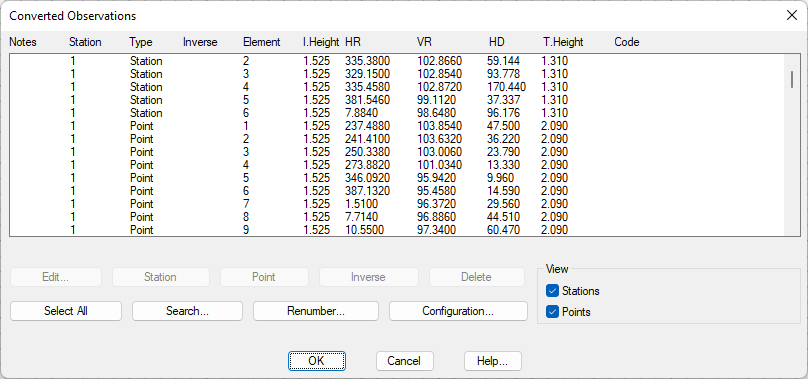
Accept the proposed file name for destination. The following dialog box allows the revision of the imported observations, deleting the erroneous ones, deciding upon whether to interpret them as point observations or station observations (in the case of incorrect interpretation) and to process repeated observations. In this example we press OK without making any changes.