tcpMDT
Surfaces
 | Command to execute in the CAD |
|---|---|
Vertical menu | MDT26 > Measurements > Reports > Surfaces |
Ribbon menu | Volumes > Reports > Areas |
Command line |
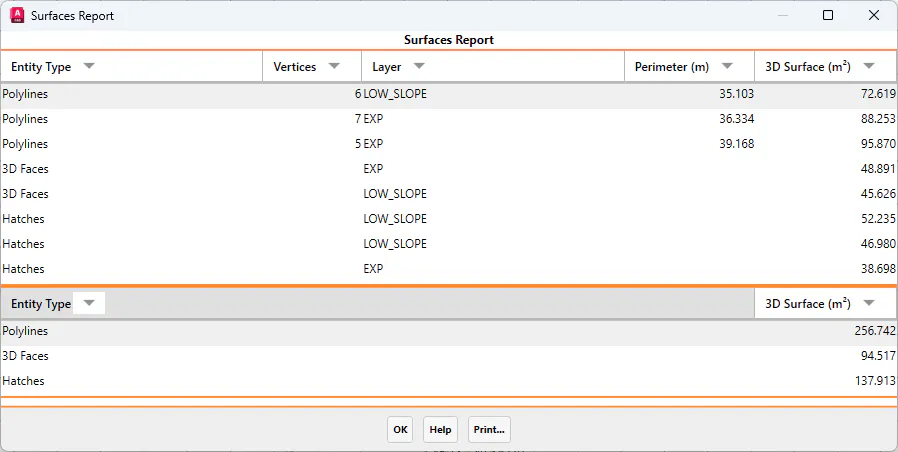
This command displays a report of closed polylines, 3D faces, and hatch entities in the drawing.
When this option is executed, a dialog box is displayed allowing the user to select the objects to be listed.
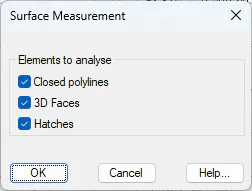
For each listed object, the following information is displayed:
Entity type: polyline, 3D face, or hatch.
Vertices: applicable only to polylines.
Layer where the entity is located.
Perimeter: applicable only to polylines.
3D surface area.
Finally, the program displays a summary of the total 3D surface area for each selected entity type.