tcpMDT
Ai Assistant - MDT26
 | Command to execute in the CAD |
|---|---|
Vertical menu | MDT26 > Support > AI Assistant |
Ribbon menu | Utilities > Support > AI Assistant |
Command line |
Ai Assistant
When executing this command, a panel is displayed containing an artificial intelligence assistant. This assistant allows the user to ask as many questions as they want in natural language, always related to the operation and features of the application.
It is important to highlight that this command is only available to users who have maintenance access, so other users will not be able to use this functionality.
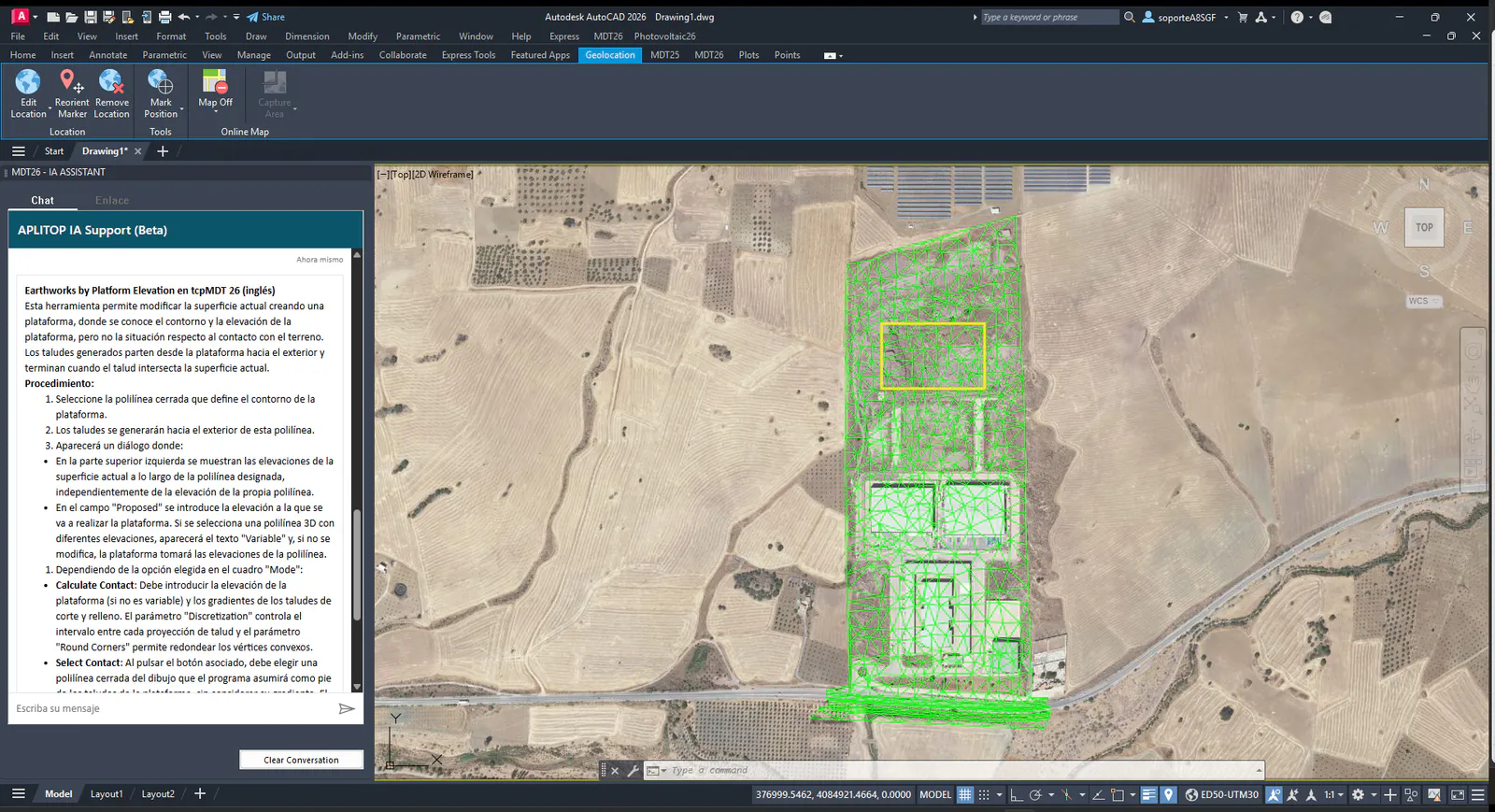
The AI assistant is embedded in a CAD panel, and recognizes the language in which the application is set.
The Clear Conversation button allows us to clear the chat to start a new conversation, so the assistant doesn't mix information.
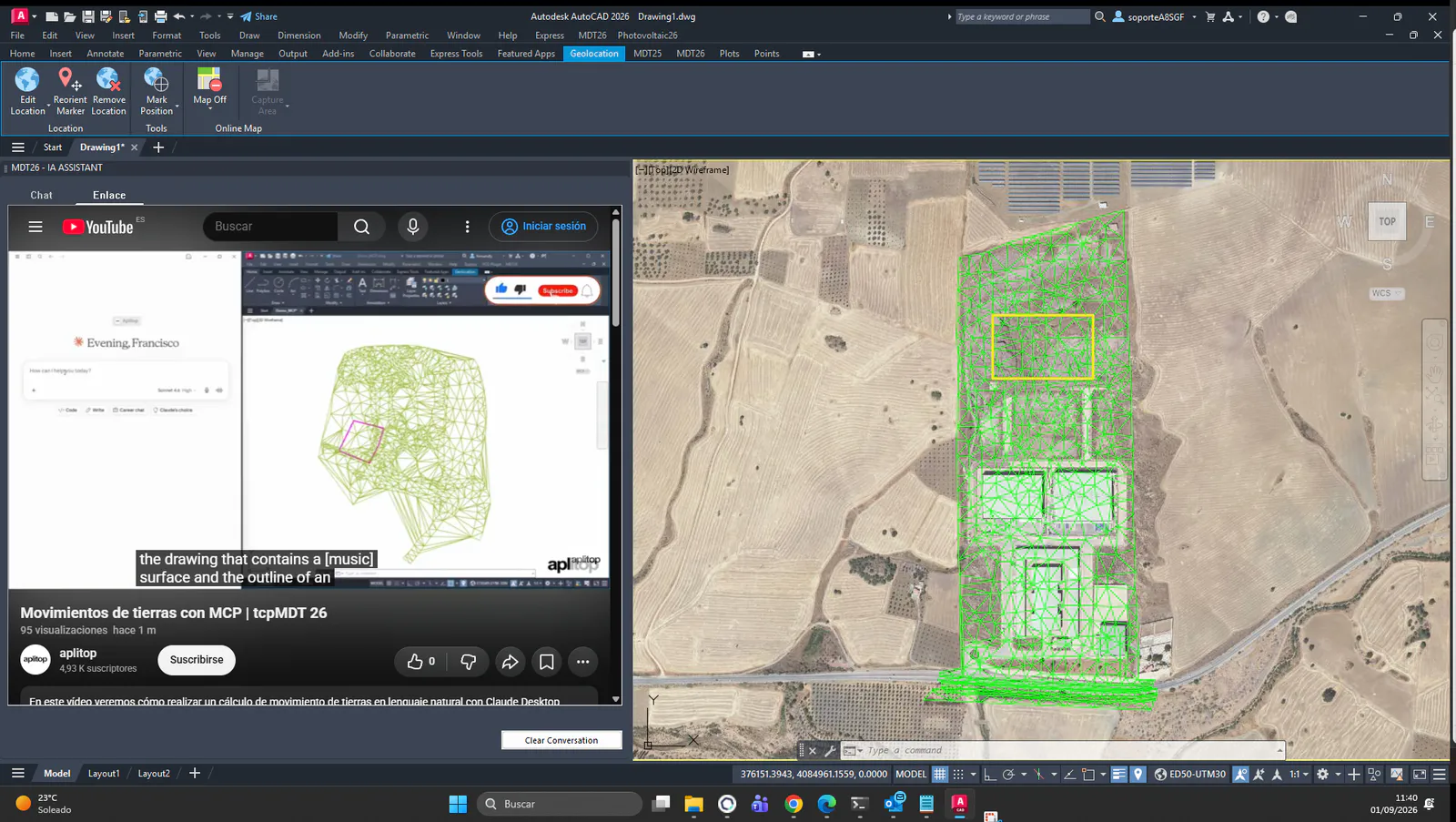
When making a query, reference links often appear to both videos and Confluence pages, where all help documentation related to the application is found. Clicking on these links opens a new Link tab within the panel.
When the link is a video, it can be played inside the application:
When the link is a Confluence page:
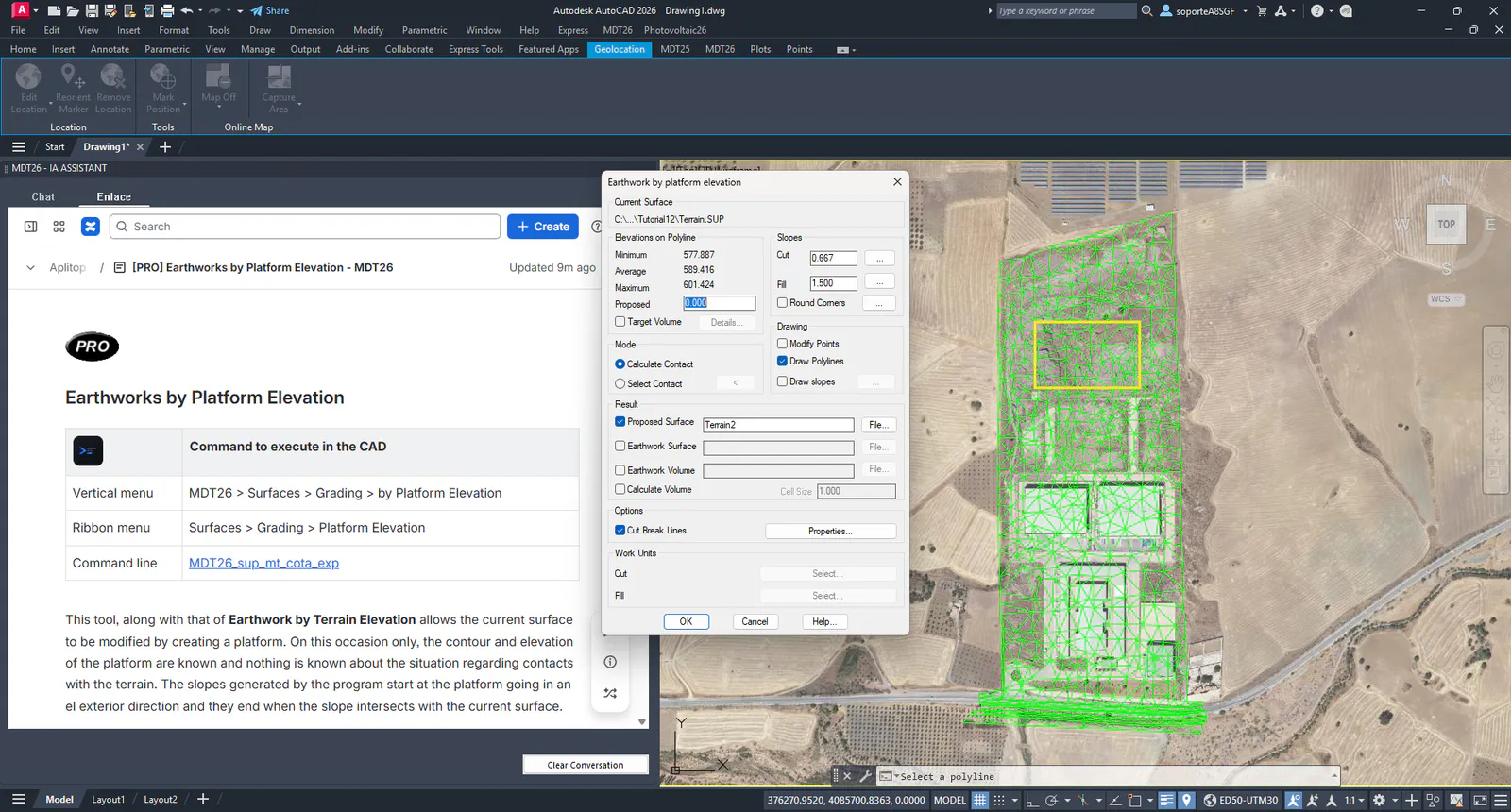
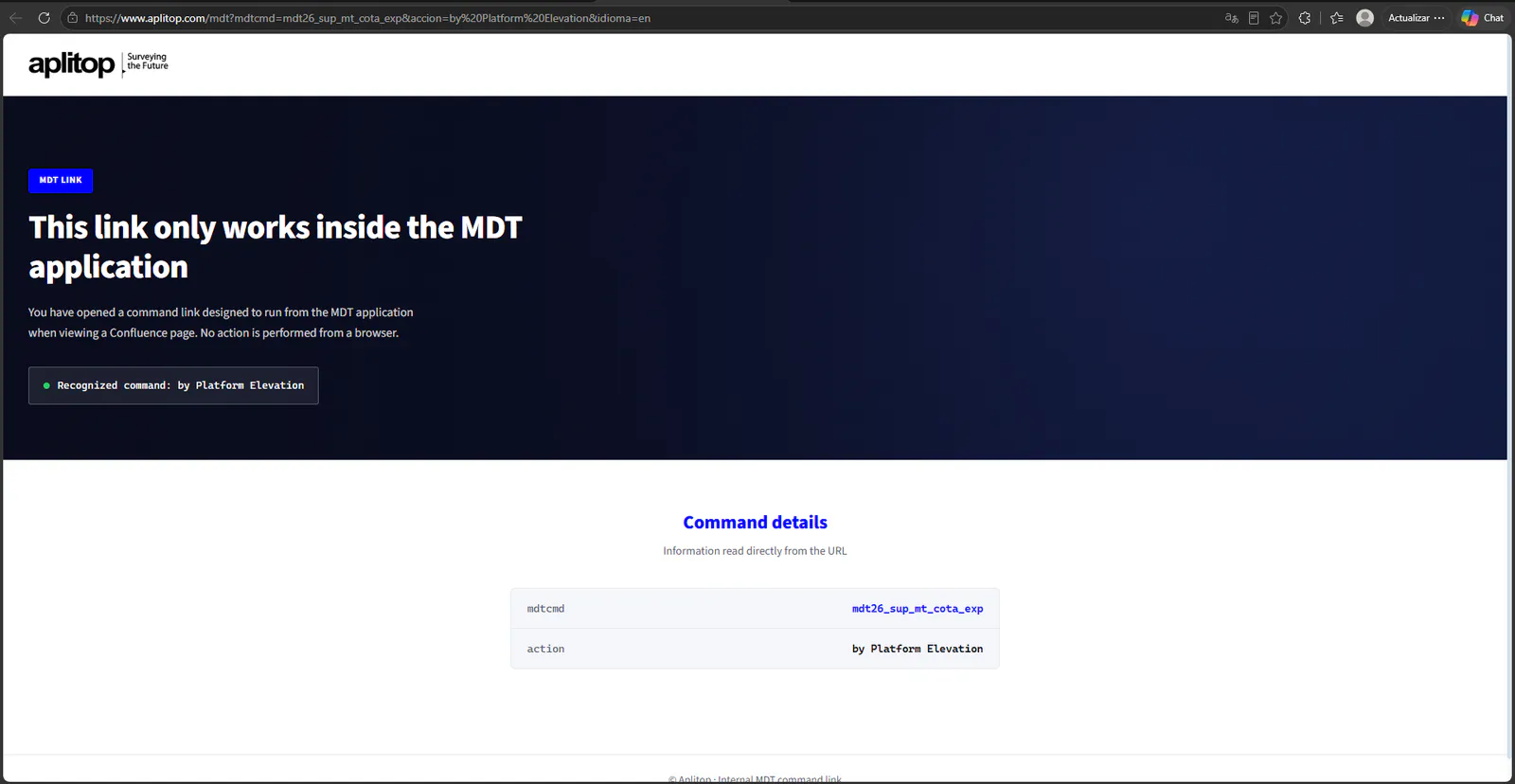
For the case of Confluence pages of the MDT26 version, a command table has been added, which shows the full path for the vertical menu, for the ribbon and for the command line. In the latter case, if we click on the link in the command line row, the command is automatically executed in the application.
When we consult Confluence help outside the application, if we click that link it shows us the following page: