
tcpMDT
Assigning work units to earthworks - MDT26
21.3 Assigning Work Units to Earthworks
In this case we are going to create a platform with the Surfaces > Grading > By Platform Elevation command. We select the closed yellow polyline located on the yellow PLATFORM layer. We then execute the grading command with the following configuration.
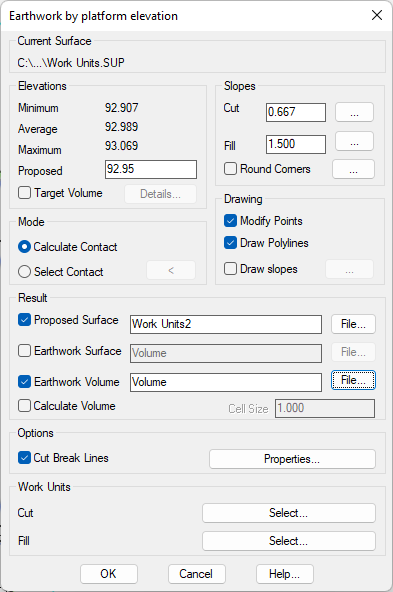
Check the Earthwork Volume box and click on the File button. Then select Volume.MT as the output file.
We will then see how the controls associated with the works units are enabled, and as in the case of pavements, we Select a work unit for Cut and another for Fill.
We will assign the work units with code 320.0020 to cutting zones and the work unit with code 330.0020 to filling zones.
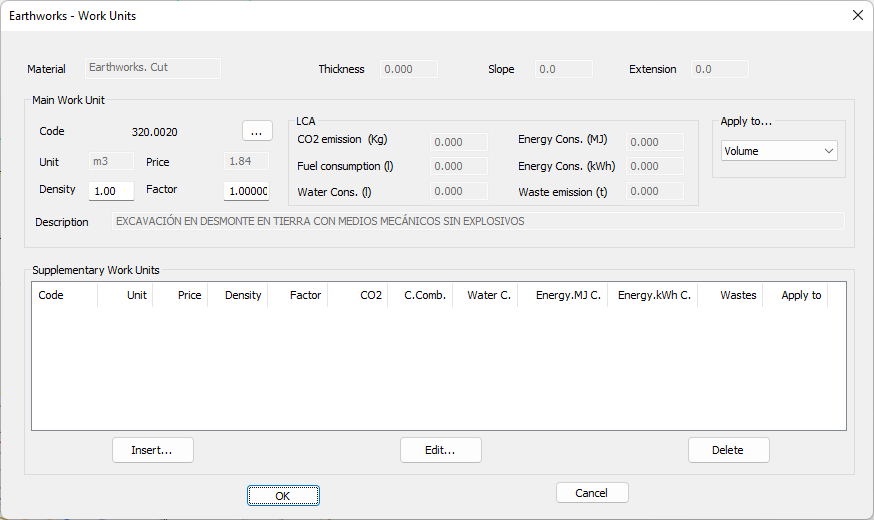
Work unit assigned to cutting zones
Validate the dialog to run the grading command.