
tcpMDT Photovoltaic
Initial terrain - PV25
11.1 Initial Terrain
With this option we establish the initial terrain or surface, it is the first step to be carried out, prior to the calculation of the earthworks.
When you run it, it will ask you for the surface file. Activate by default the option "Set as new current surface", in this way we indicate that it is the area from which the calculations will be made.
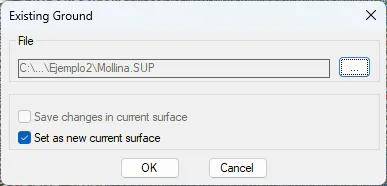
Once the dialog is validated, the following window will be displayed in which we will set the type of representation.
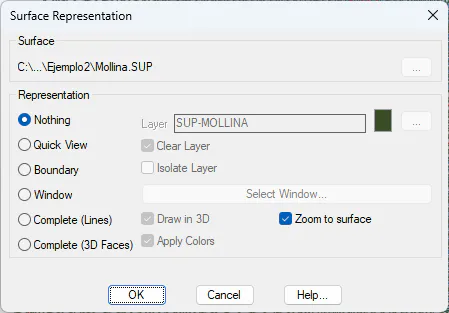
For situations with very large surfaces, it is advisable to activate the "Nothing" or "Boundary" option, in this way the drawing will not overload too much and the work with the drawing will be more agile.