tcpMDT
Exporting earthworks - MDT25
19.1 Exporting Earthworks
Now we run the BIM command > Export IFC. Select IFC4 Version now. Press the Surface button and add the Earthworks.MT earthwork file. The dialog should look like this:
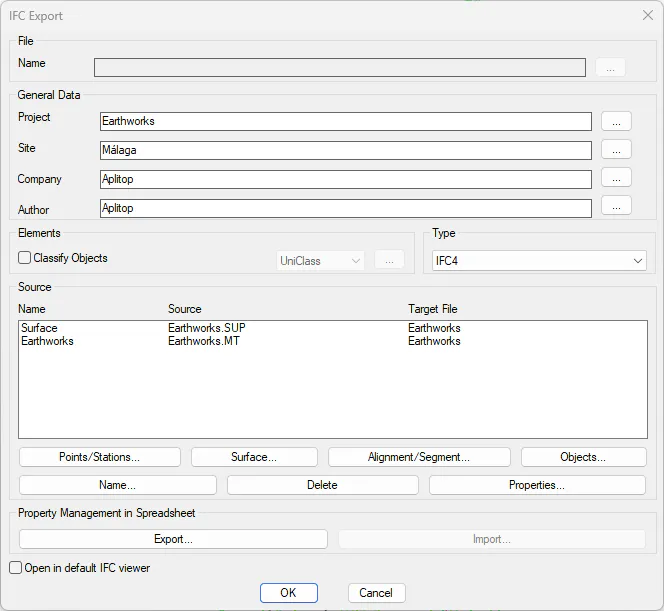
Press OK and write Terrain.IFC as output file name.
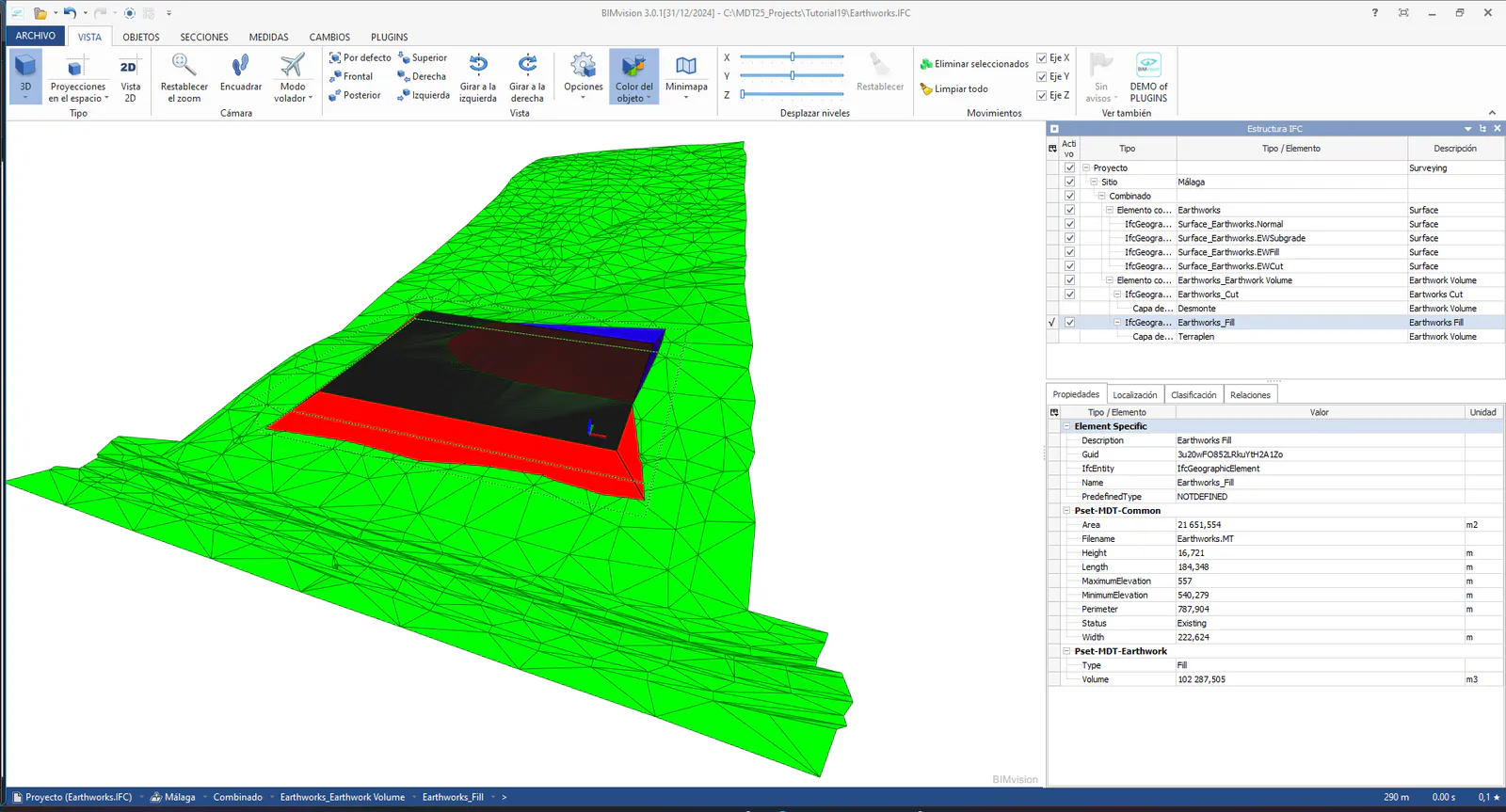
Then proceed to open the generated file with a free viewer, in this case BIM Vision, which can be downloaded from https://bimvision.eu/es/strona-glowna-es .
If we select the different elements in the object tree, we can see the properties that have been automatically assigned to each of them, both the Cut and the Fill.