tcpMDT
[PRO] Earthworks - MDT26
Earthworks
 | Command to execute in the CAD |
|---|---|
Vertical menu | MDT26 > Measurements > Mass Diagram > Earthworks |
Ribbon menu | Volumes > Mass Diagram > Grading |
Command line |
This command is used to carry out movements of materials between cut and fill, as well as account for the different dumps and stockpile sites available.
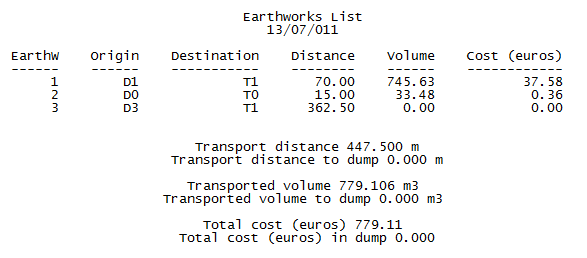
All earthworks are shown in a list that displays the material moved, the distance transported and the estimated cost of transport.
First the command requests the mass diagram file we will be working with, and then some on-screen coordinates to draw the rectangle graph on which different earthworks will be defined.
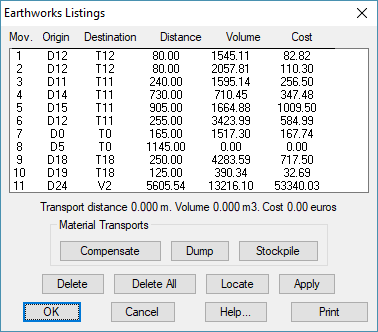
The following information is given in the list:
Mov: Identifies movement.
Origin: Accumulation of cut from which the terrain is to be moved. Also, in this case Stockpile can appear from which material is taken.
Destination: Accumulation of fill to which the material will be taken. It can also be a dump which is filled with the excess material.
Distance: Distance of transport.
Volume: Volume of the material moved.
Cost: Estimated cost in Euros of the earth movement, according to the costs table of the materials configured with the corresponding command.
Material Transport
Compensate: Compensation between a block of cut and one of fill. The command first requests the cut block from which to extract the material, then the fill block where it should be taken.
Dump: In this case the cut material is taken to a dump. First the cut block to be moved is indicated then the corresponding dump is selected from the list.
Stockpile: This option is the opposite of the dump option. First, we select the stockpile from which to bring the material, then the fill where it is to be taken.
Delete: To delete any of the earth movements carried out.
Delete All: To delete all movements carried out, leaving earthworks as they were at the start.
Locate: A zoom window over the elements that formed part of the movement selected.
Apply: Re-draws the block diagram in terms of the earth movements carried out.
Print: Shows a detailed list by printer, with the different movements and the totals for each concept.